


Meet TaskTackler
The task app for people who love lists!


How TaskTackler Works
TaskTackler holds everything on your plate, from work to birthdays to the show you’re halfway through. Then it shows you only what you can do right now.
-
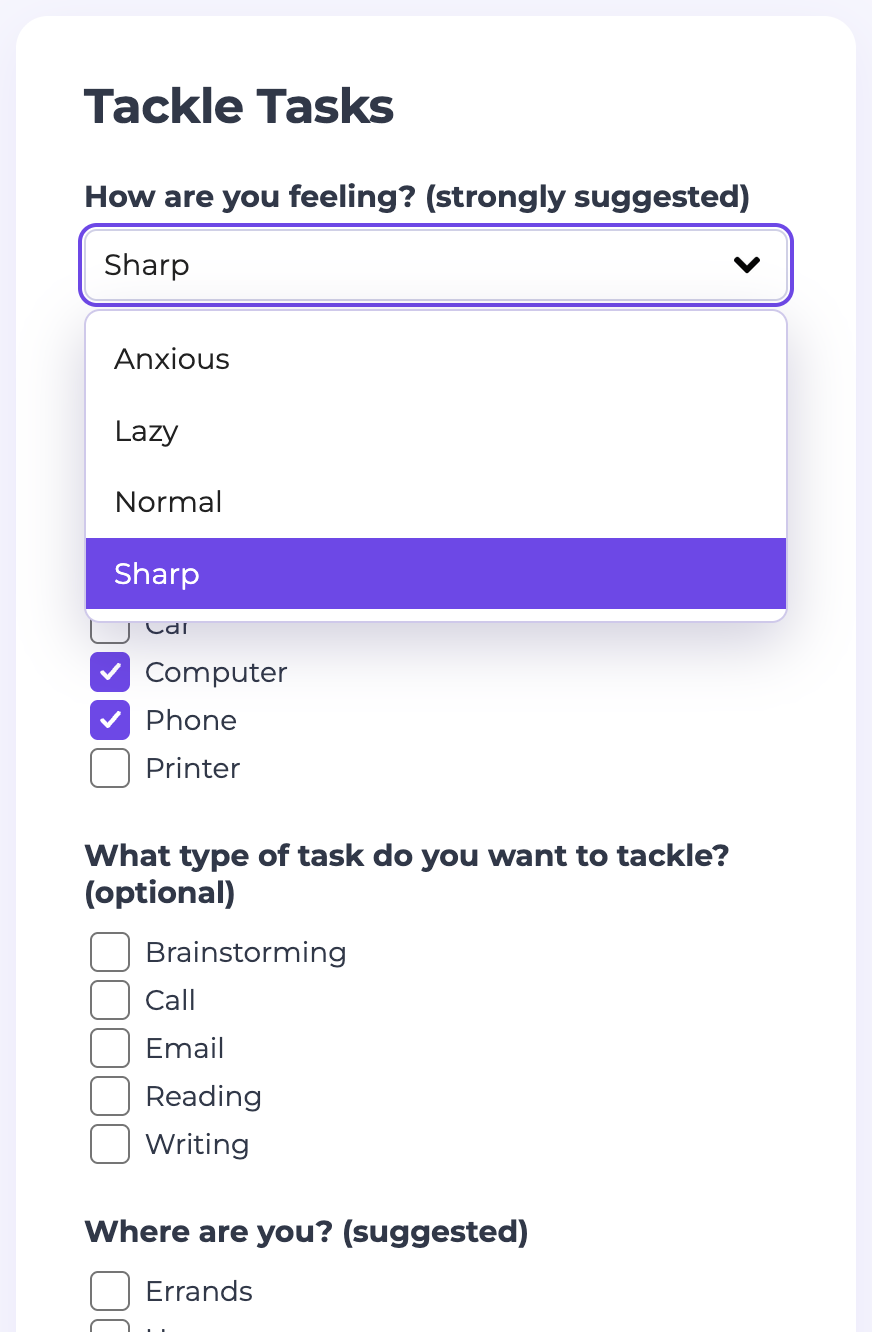
Identify your mood... pick your tools... and WORK!
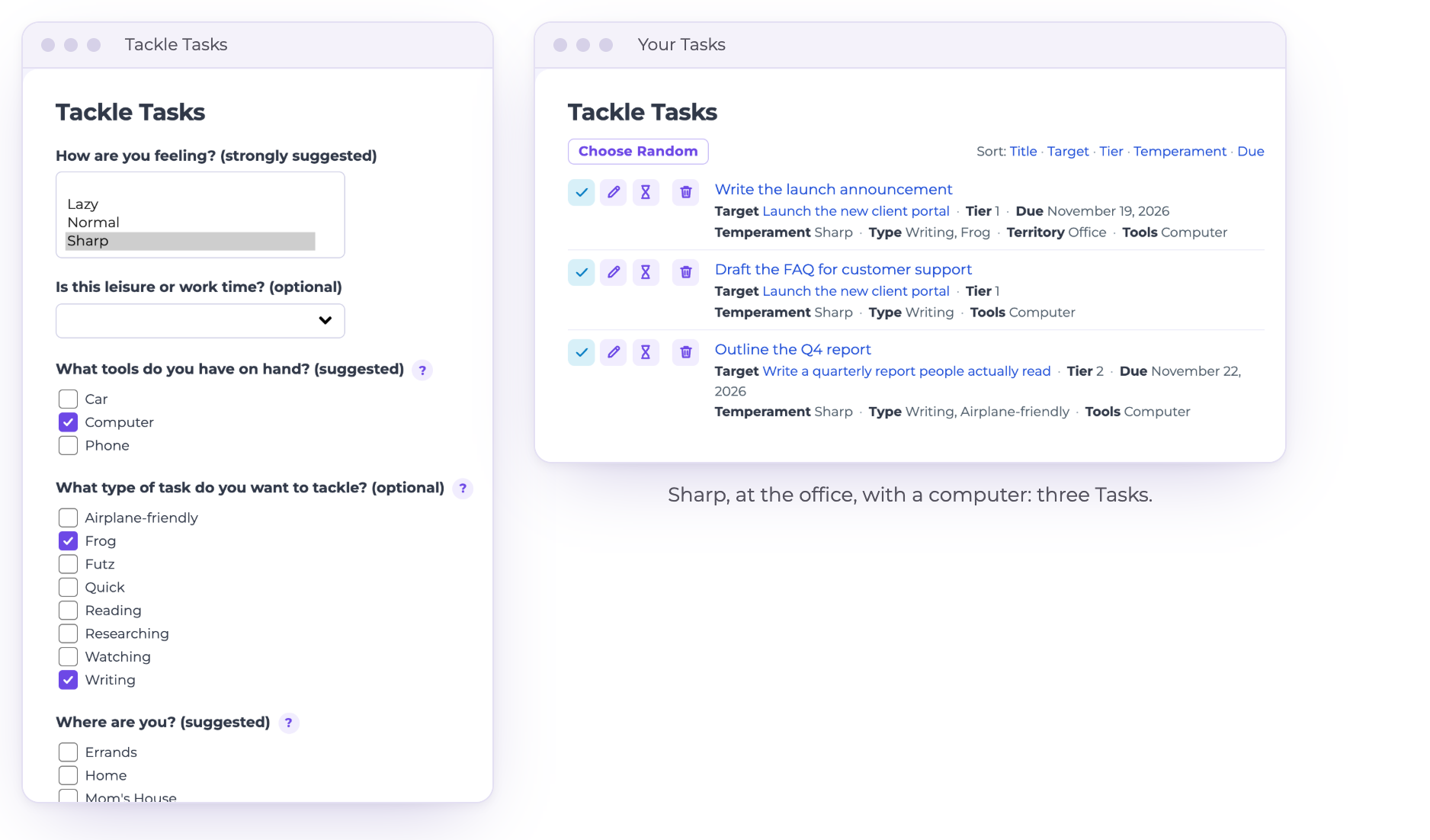
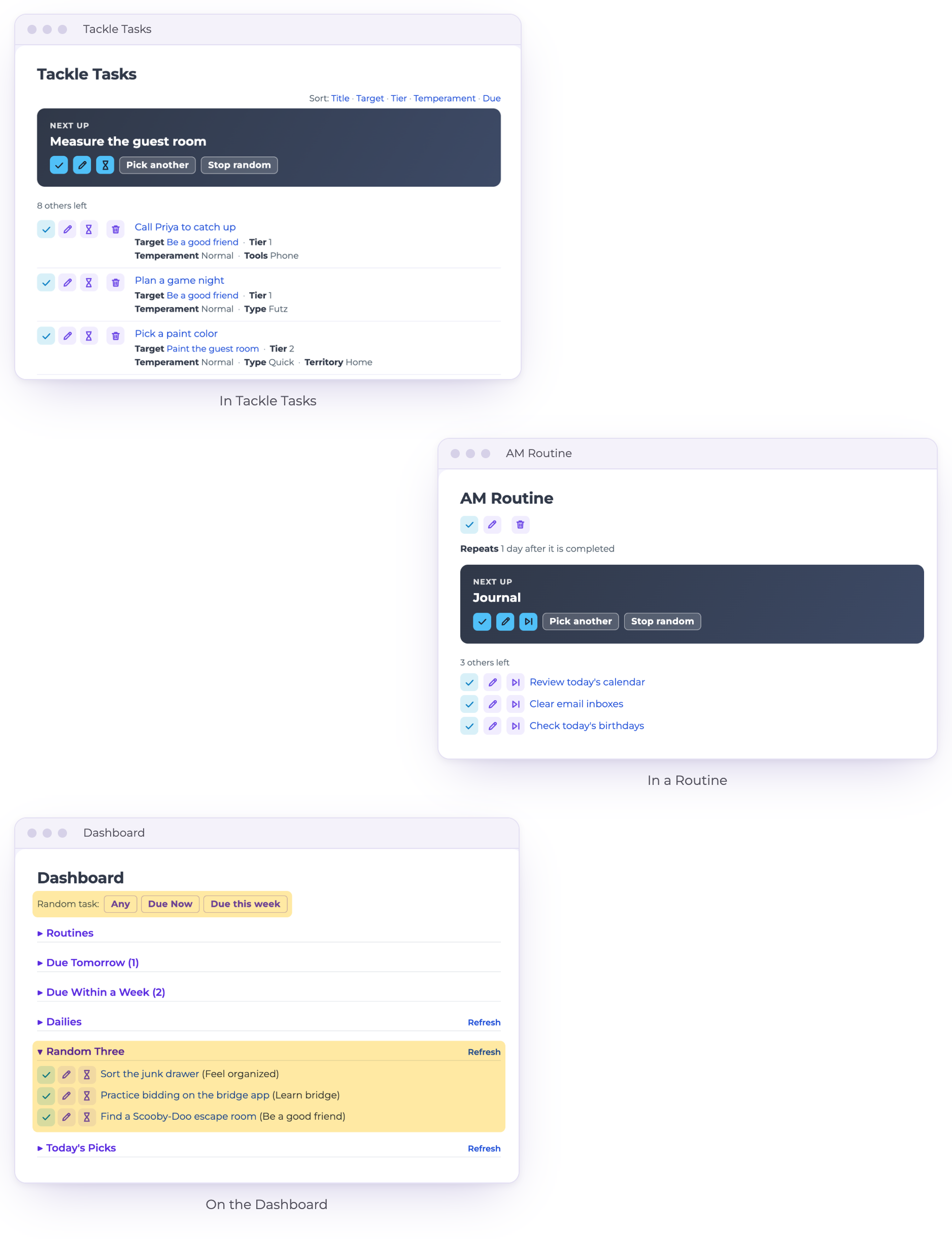
Tackle Tasks asks how you’re feeling, where you are, what you have with you and what kind of work you feel like doing. Then it shows only the Tasks that fit, in priority order.
Every list is yours to name, from Frog to Airplane-friendly.
-
Your day, already laid out
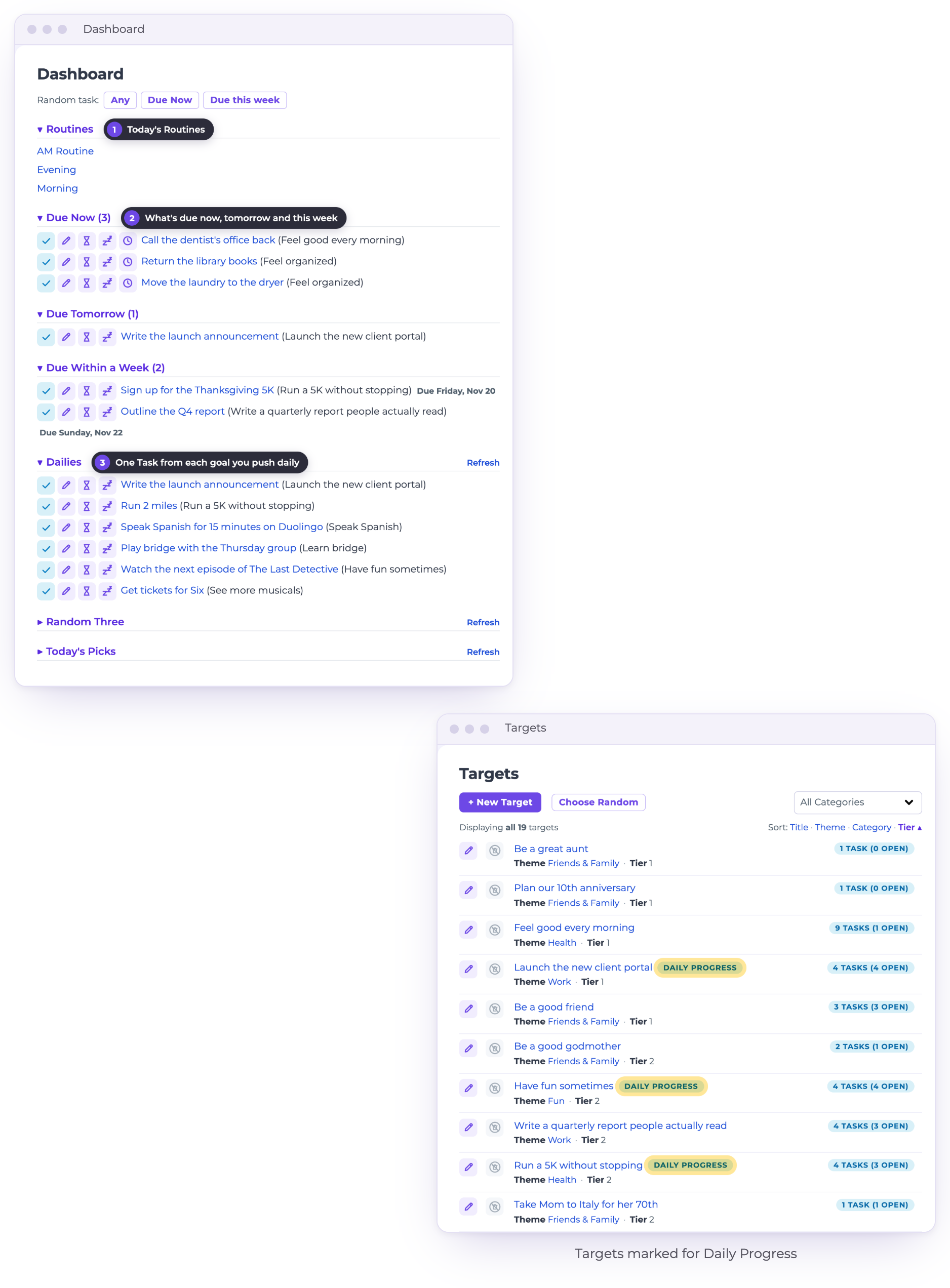
Open TaskTackler and today is waiting for you: your Routines, what’s due now, tomorrow and this week, and one Task from each Target you want to move forward every day.
Mark a Target for Daily Progress, and one of its Tasks shows up on your Dashboard every day.
-
Always remember your why
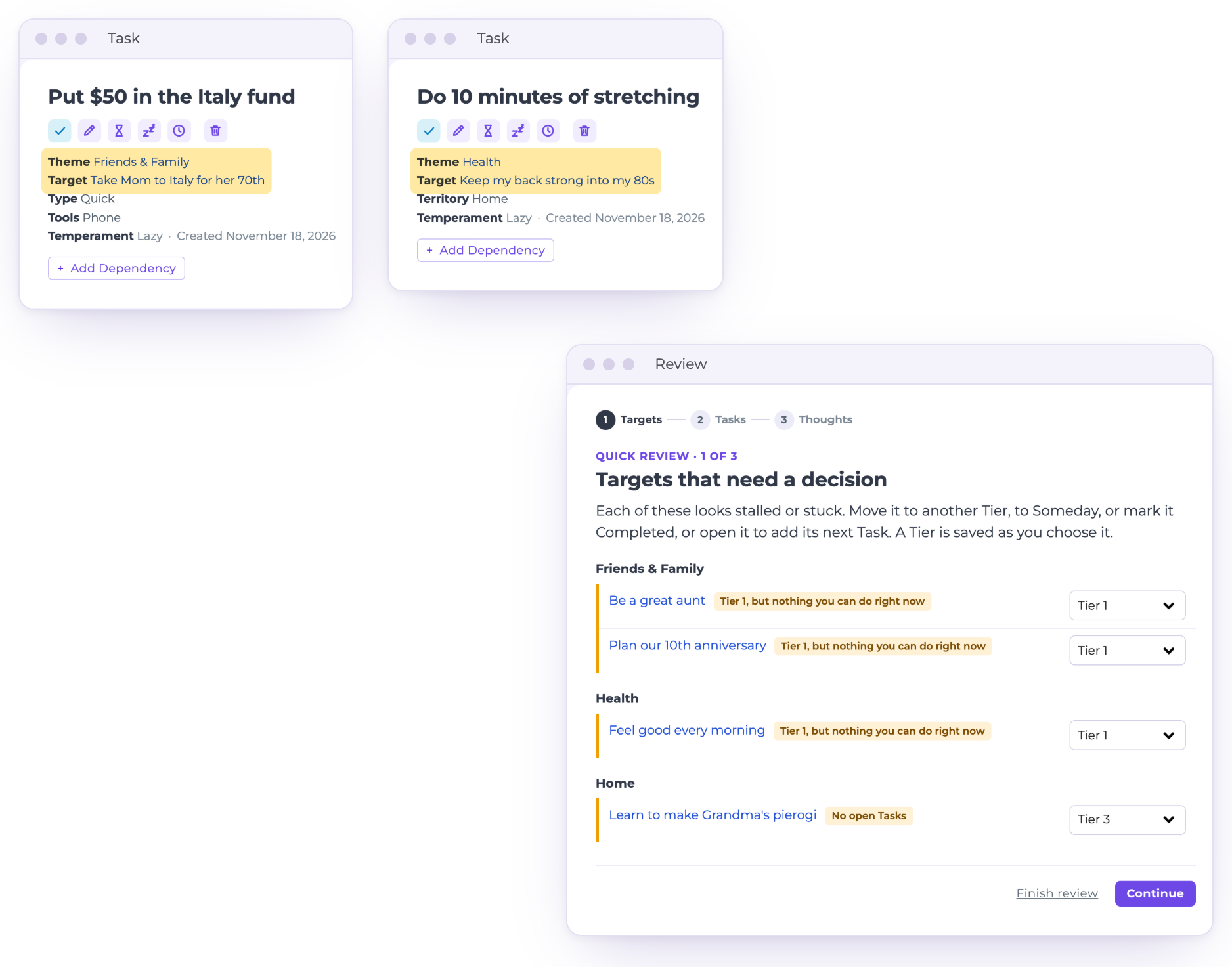
Every Task is part of a Target, so you remember what you’re working towards. Putting $50 aside is easy to skip; taking Mom to Italy for her 70th isn’t.
And so you always have a next step towards your goals: the Review points out any Target with nothing you can do right now.
-
Only see things you can actually do now
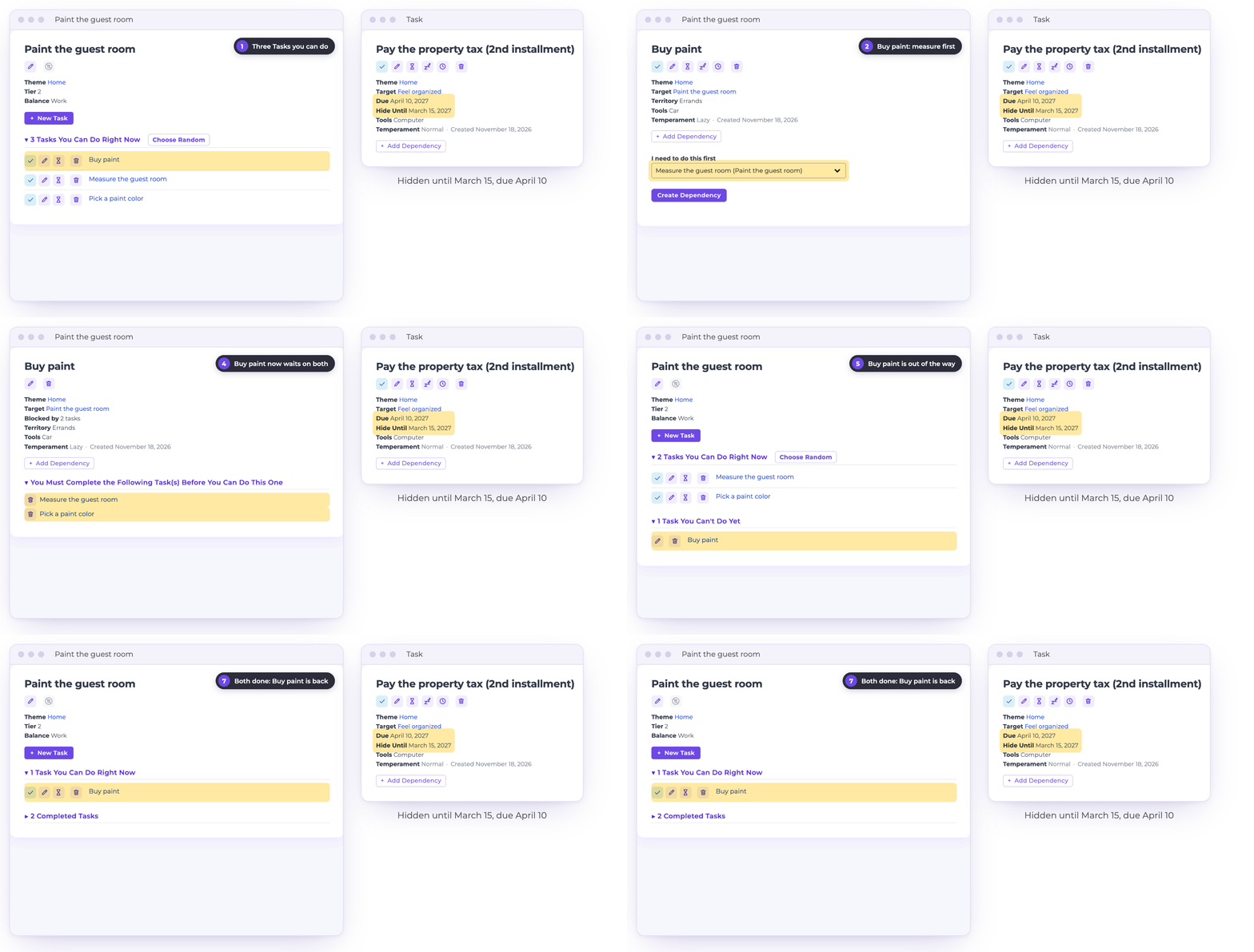
Some Tasks can’t start until others are done. You can’t buy paint before you’ve measured the room and picked a color. Link them, and “Buy paint” stays out of sight until it’s actually doable.
Others can’t happen until a certain date. Pay the property tax in April, and you won’t see it until mid-March.
-
Routines that flow for optimal order
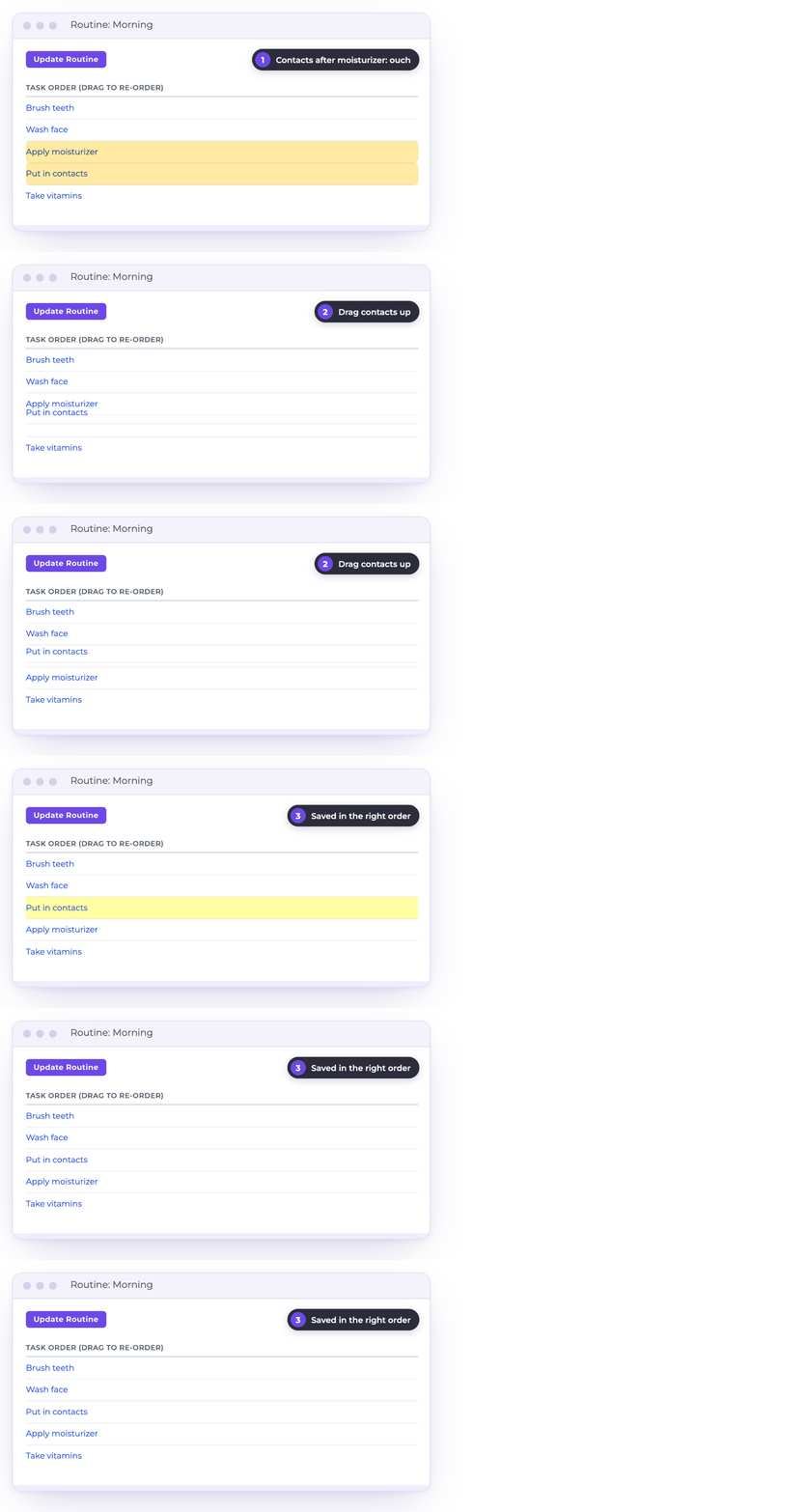
Moisturizer first, then contacts? Ouch.
Drag the steps of a Routine into the order that works, and every morning they come up that way.
-
Repeat Tasks on your terms
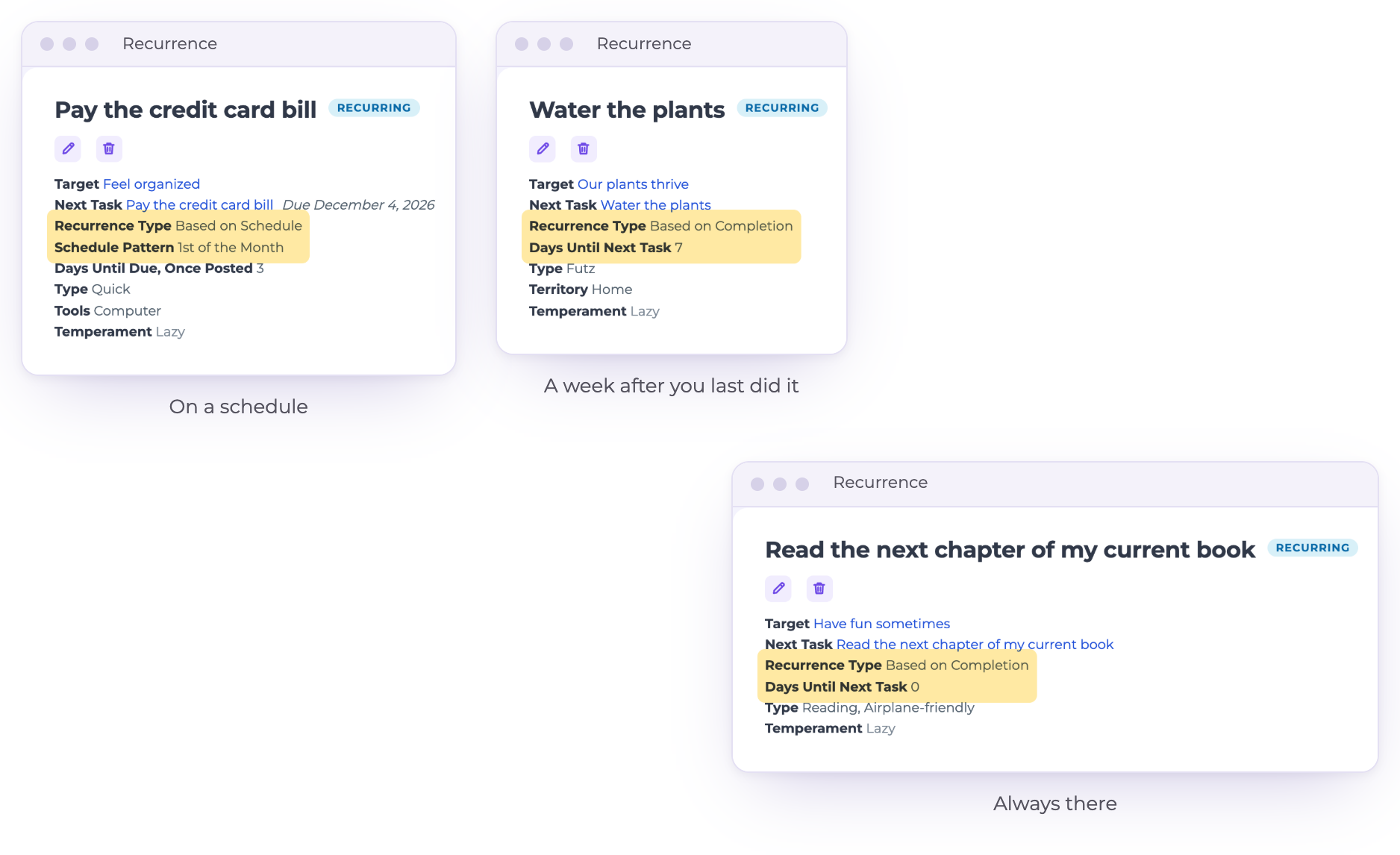
Some things happen on the calendar, like paying the bill on the 1st. Some happen a set time after the last one, like watering the plants a week after you last did.
And some you always want on hand: set a Recurrence to 0 days, and “Read the next chapter” is back the moment you finish one.
-
Keep an eye on timely tasks with Later Today
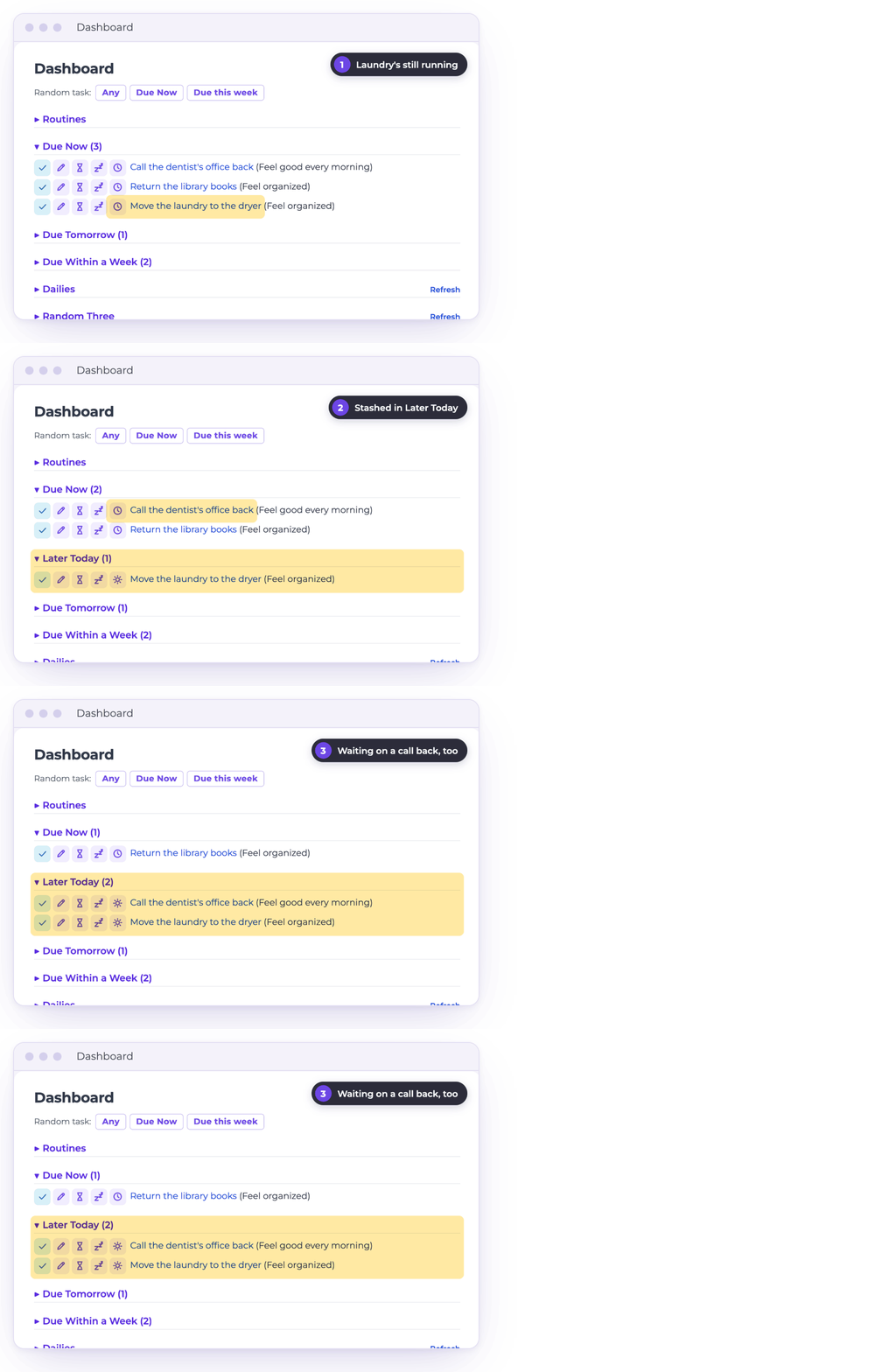
Waiting for a call or email back? Need to turn over the laundry?
Stash tasks you need to do today, but can’t do right now, in Later Today so you keep track without interrupting your flow.
-
Have some fun! Use Random mode to pick your next task.
Can’t decide what’s next? Let TaskTackler pick. Choose Random on your Tackle Tasks results or inside a Routine, and one Task comes up as Next up. Not feeling it? Pick another.
The Dashboard keeps a random Task one click away, plus a fresh Random Three every day.
-
Achieve work/life balance by capturing all the fun stuff in addition to work
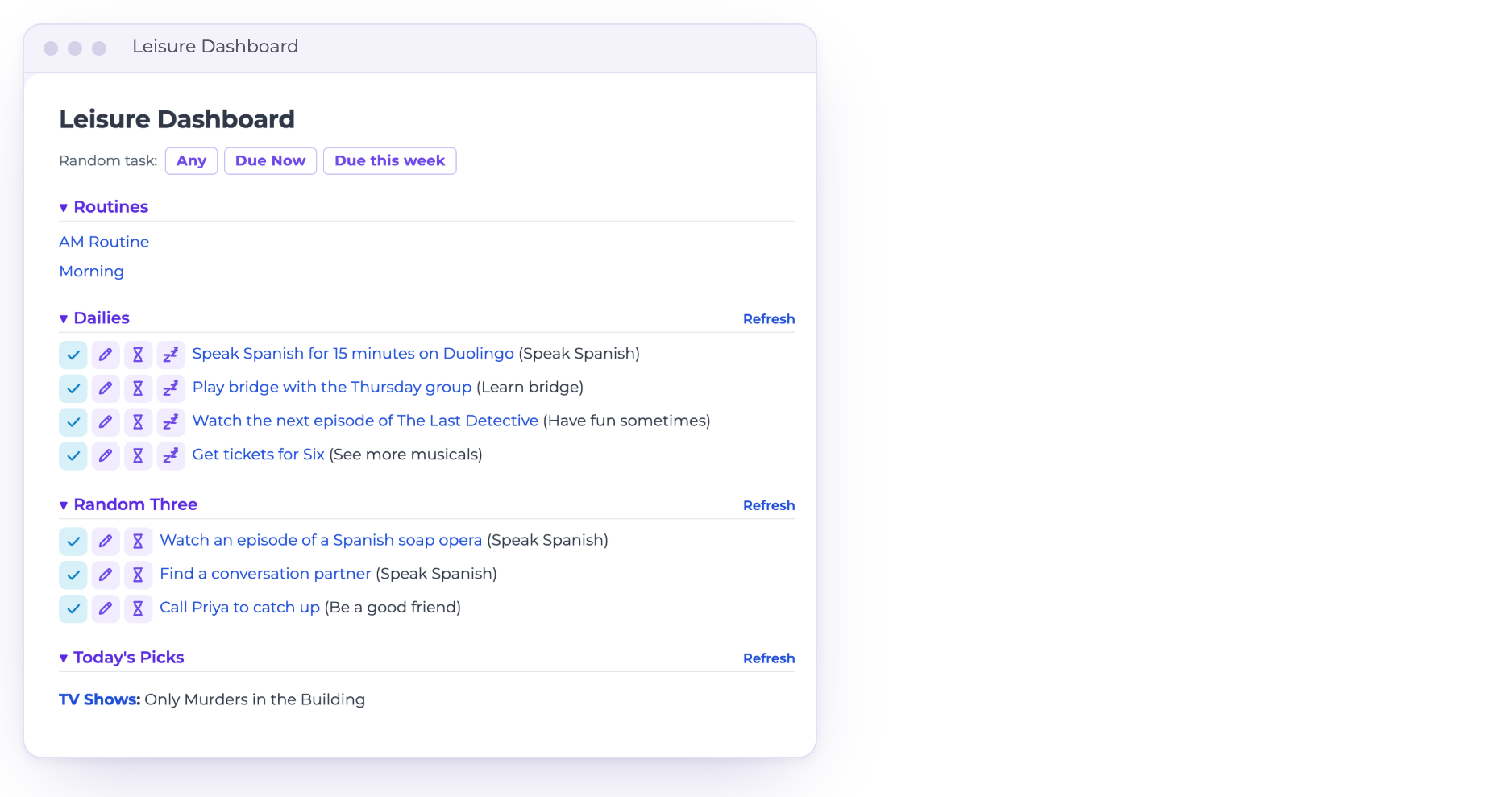
Your hobbies, shows and friends deserve a plan too. Mark a Target as Leisure, and after work the Leisure Dashboard shows only those.
The evening goes to what you actually wanted to do, not whatever the couch suggests.
-
Nurture your relationships
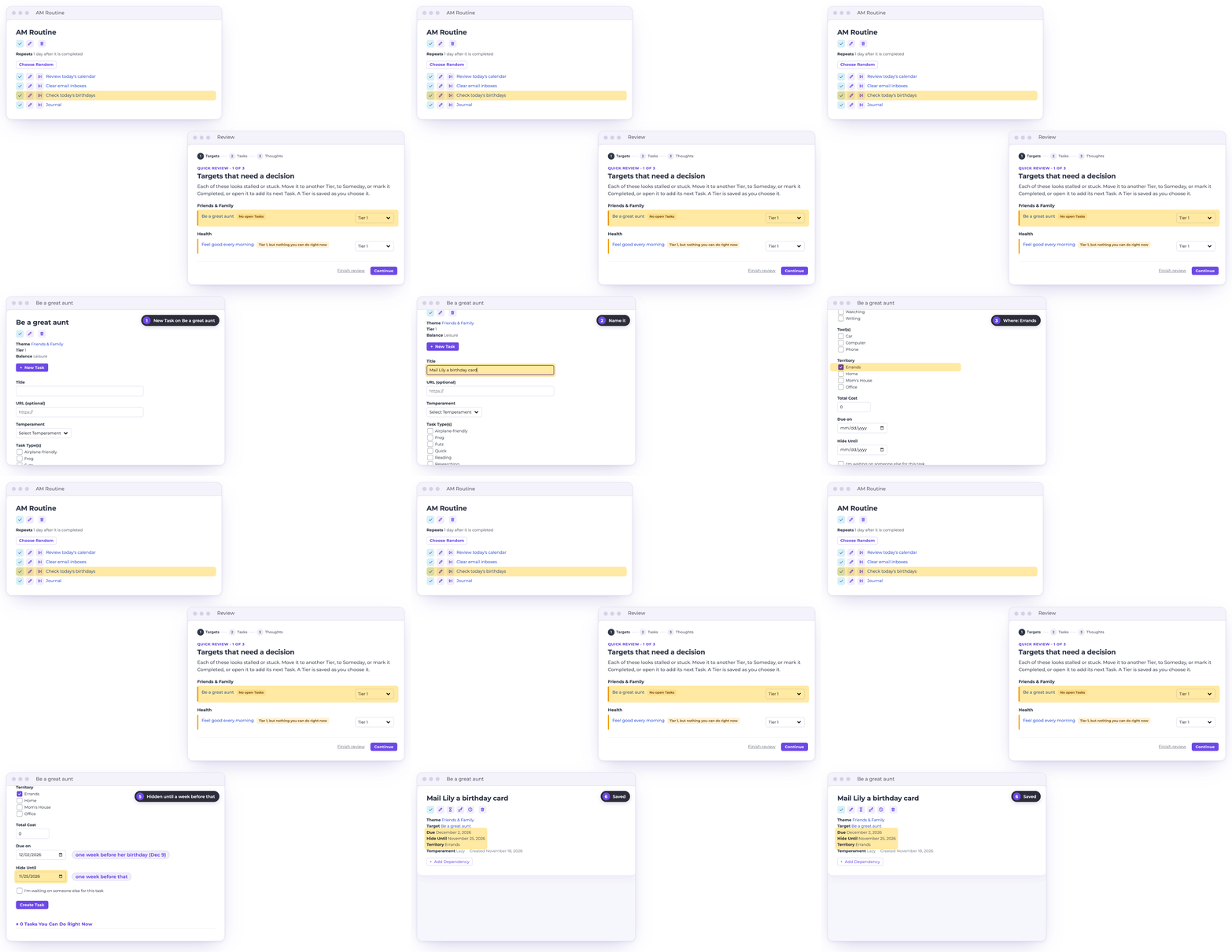
The people you love don’t send you deadlines, so they’re easy to let slide. Check birthdays every morning, and let your Review point out any relationship with nothing planned.
Then add the card reminder once: due a week before her birthday, and hidden until a week before that, so it only shows up when there’s time to act on it.
-
A trusted inbox
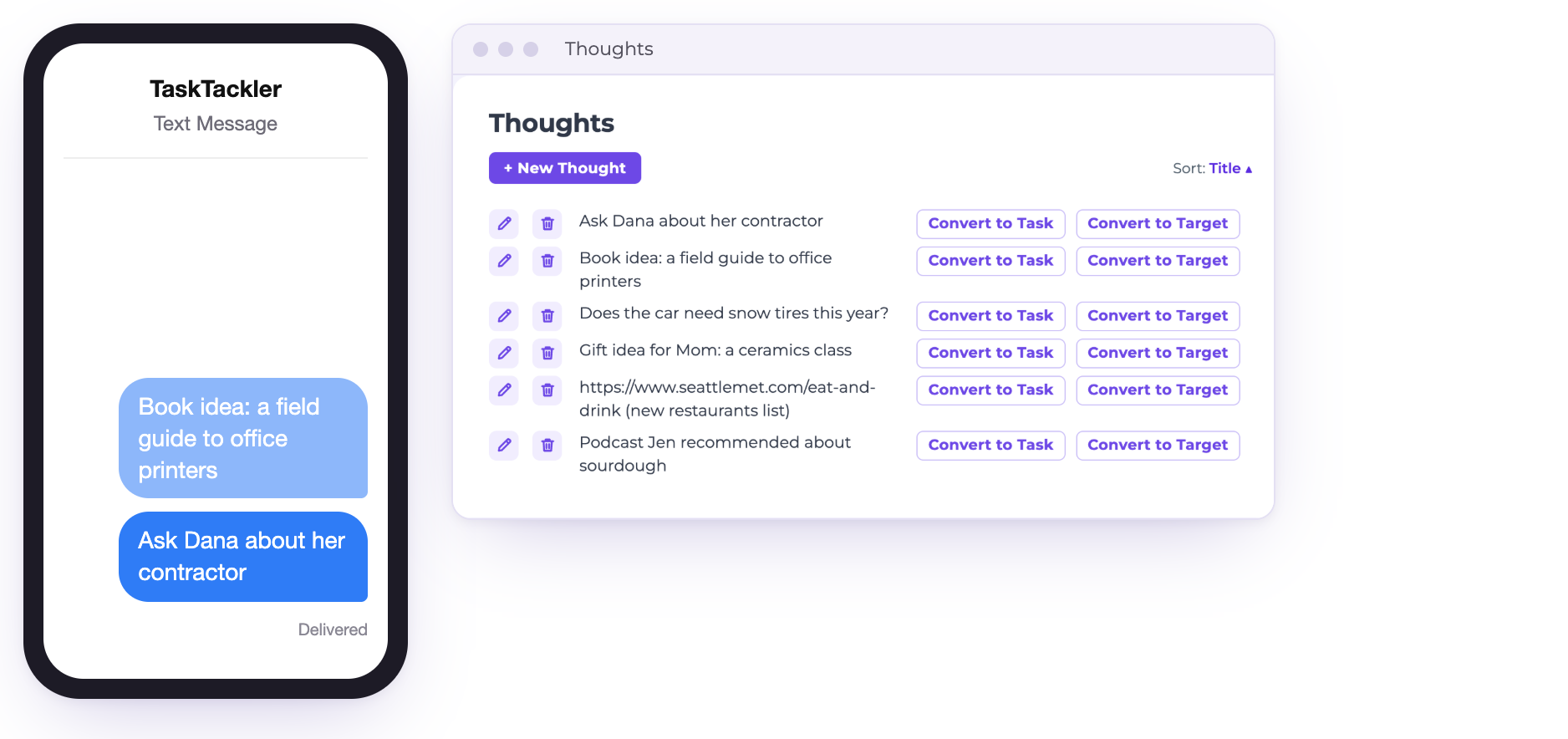
Ideas arrive at bad times: in line at the pharmacy, halfway through a meeting, at 2am.
Text them to TaskTackler and they wait in Thoughts until you’re ready to turn each one into a Task, a Target, or nothing at all.
-
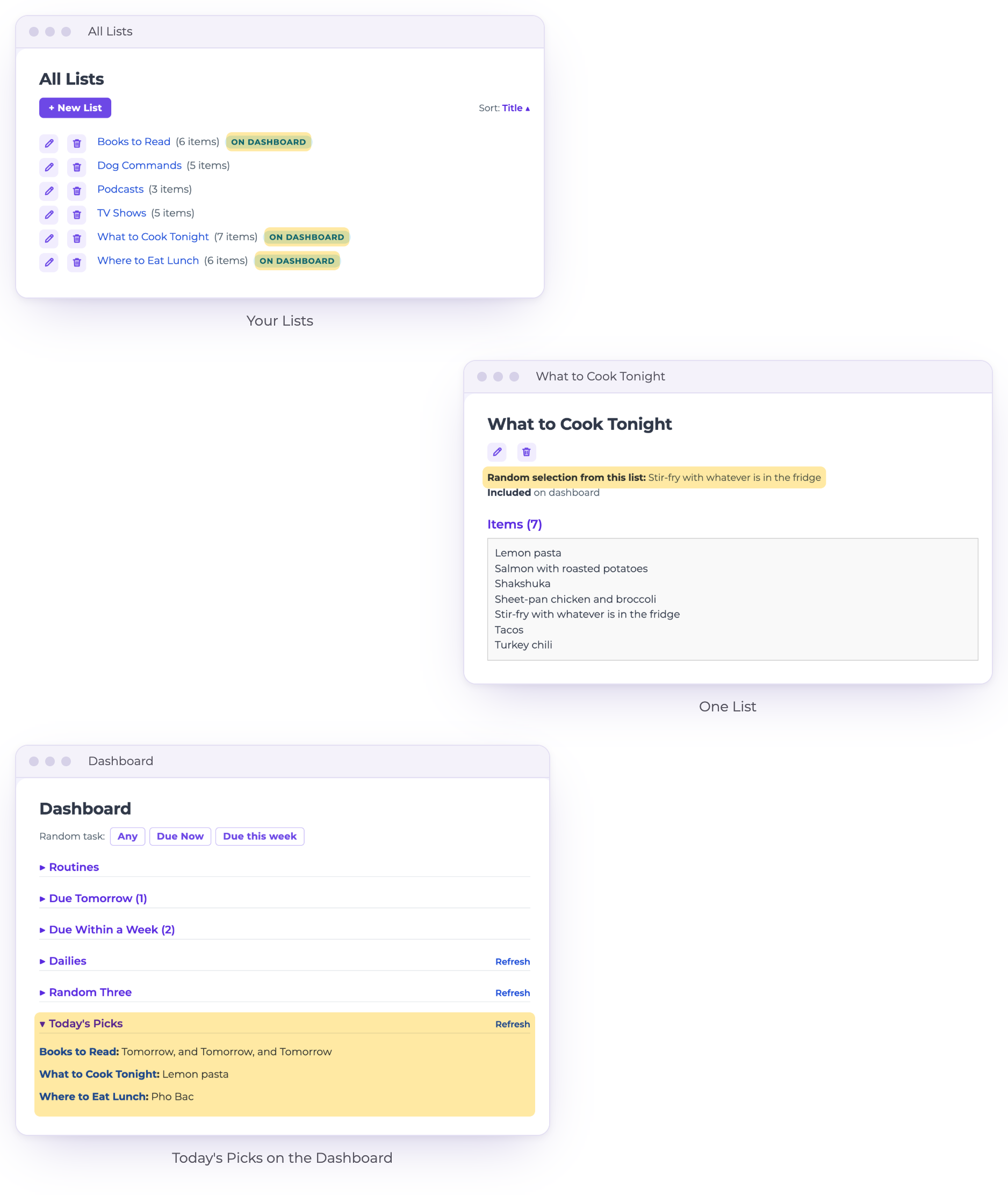
Avoid decision fatigue with lists!
Keep the lists you’d otherwise rebuild from scratch every day: books to read, where to eat lunch, what to cook tonight.
Put a List on your Dashboard, and each morning it picks one for you. The decision is made before you’re hungry.
-
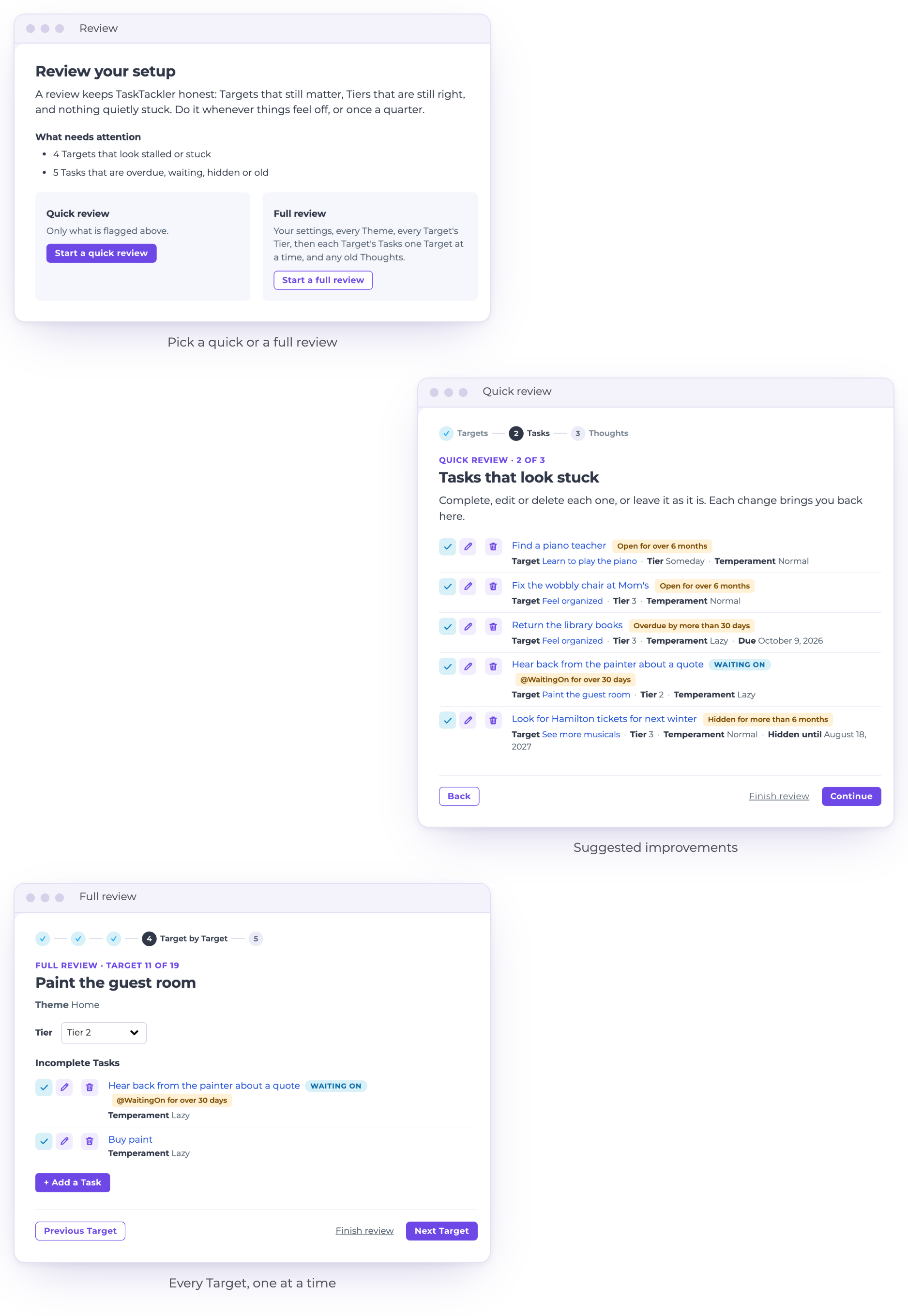
Structured review
It’s easy for lists to get too long and Targets to get stale. Use the Review wizard at any point to review and update your entries.
Peek at its suggested improvements, or do a deep review of your entire system.

Key Features
Everything TaskTackler does, at a glance. Themes hold Targets, Targets hold Tasks, and every Target has a Tier.
-
Themes: the big areas of your life, like Health or Work.
Targets and Tiers: the outcomes you want, ranked 1 to 4.
Someday: Targets you'll get to later, Tasks already planned.
Target categories: group related Targets across Themes.
Lists: books, restaurants, dog commands, anything you keep.
Thoughts: a trusted inbox; type or text an idea in.
Recurrences: repeat on a schedule, after completion, or always.
Routines: Tasks done together, in the order that works.
Dependencies: a Task waits until the ones before it are done.
-
Due dates and Hide Until: see a Task only when it matters.
Snooze: push a due date out a week in one click.
Total Cost: save a Task until you can afford it.
Links: the article or form, one click away.
Add Multiple Tasks: plan a whole Target at once.
Dashboard: today's Routines, what's due, and daily progress.
Tackle Tasks: only what fits your mood, place and Tools.
Temperament, Territories, Tools, Task Types: your own lists, your own words.
Random: let TaskTackler pick your next Task.
-
Later Today: today's Tasks you can't do just yet.
@WaitingOn: everything you're waiting on others for, in one place.
Leisure Mode: a Dashboard of hobbies, shows and friends.
Review: a quick check or a full walk through your system.
Upcoming: everything hidden until a later day, week by week.
Tackled: everything you've finished.
Works on your phone: in the browser, nothing to install.
Text it in: send a Thought from your phone.

The To Do List
The To Do List is the TaskTackler blog: ideas for people who love lists, with a new post (at least) every week.
Our latest posts

Questions
What is TaskTackler?
TaskTackler is a task app for people who love lists (and have a lot of them). Everything on your plate goes in, from work to the rest of your life, and TaskTackler tells you what to tackle next.
How is it different from other to-do list apps?
Most to-do apps hand you one long list and leave you to pick. TaskTackler knows the difference between a Task you can do half asleep and one that needs you at your sharpest, so it asks how you’re feeling and what tools you have on hand, and only shows you the Tasks that fit. Don’t waste your best hours folding laundry!
How much does it cost?
$20 a month, or $200 a year. The first 14 days are free, with no credit card needed.
Can I cancel?
Yes, you can cancel any time.
What happens to my data if I cancel?
It’s deleted. When you cancel your account, your Tasks, Targets and everything else in it are deleted along with it.
Is there an iPhone or Android app?
There's no app to install. TaskTackler works in the browser on your phone, tablet and computer.
Can I import my tasks from another app?
There’s no formal import, but AI could probably figure it out for you!
How long does it take to set up?
You can get going in under a minute, but the more you invest in loading your life into TaskTackler, the faster you'll be able to take advantage of all its features.
Who makes TaskTackler?
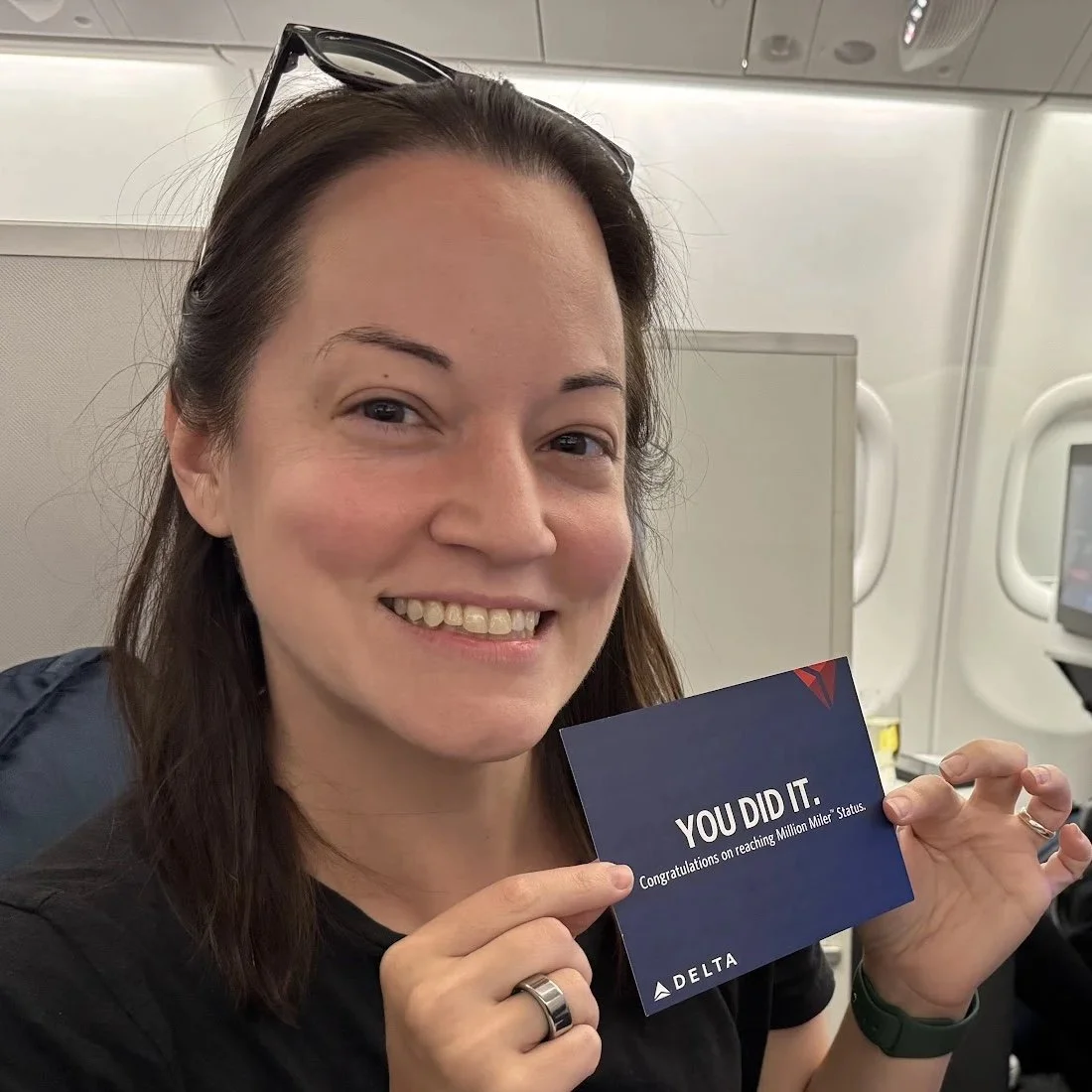
Marina Nitze built TaskTackler in 2013 to run her own life, and still uses it every day. Read more about Marina, or see more than a decade of release notes.
Built by someone who runs her whole life on it
Marina Nitze built TaskTackler in 2013 and has used it every day since. In that time she has been Chief Technology Officer of the U.S. Department of Veterans Affairs, written three books, and become a partner in a crisis engineering firm. Steve Levitt interviewed her about how she stays organized on his Freakonomics podcast, People I (Mostly) Admire.

Start tackling your Tasks today
Try it for yourself! Your first 14 days are free, no credit card needed.