


Meet TaskTackler
The task app for people who love lists!
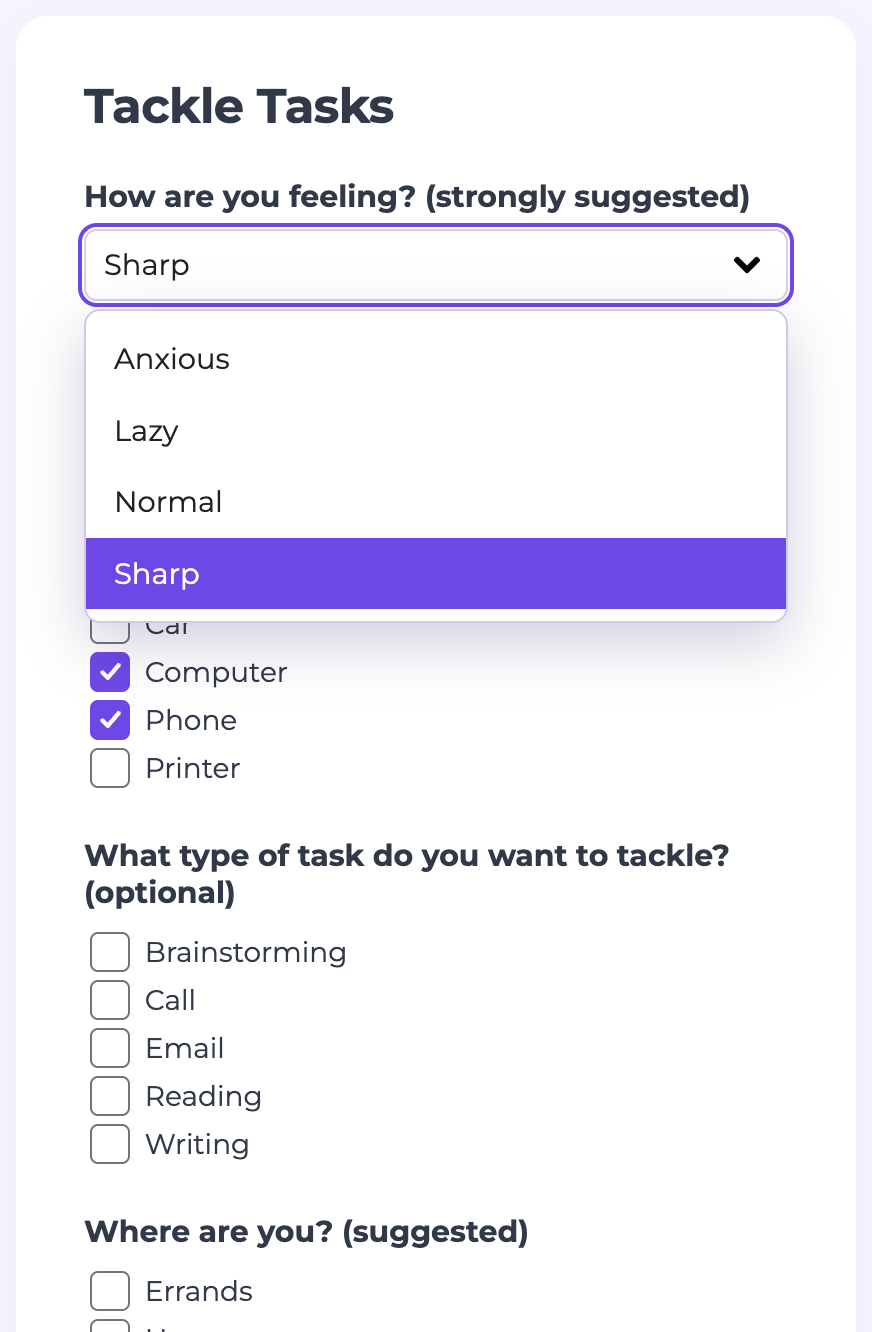
TaskTackler takes everything on your plate, and serves up only what you can do right now, matched to your mood and what you have on hand.
No scrolling, no deciding — just doing.


How TaskTackler Works
Load in your whole life. Goals, tasks, your morning Routine, your rent payment, and the idea you had in line at the pharmacy — it’s all safely stored and ready for action.
Decide what each Task takes. Set where it has to happen, what you need to do it, and your ideal mood for completing it, so TaskTackler can maximize your productivity.
See only what you can do right now. Everything else stays out of your way until it’s available for action.
Way better than one endless list
Most to-do apps show you one long list and wish you luck. TaskTackler hides what you can’t do yet, and prioritizes the rest.
-
Only see what you can do now
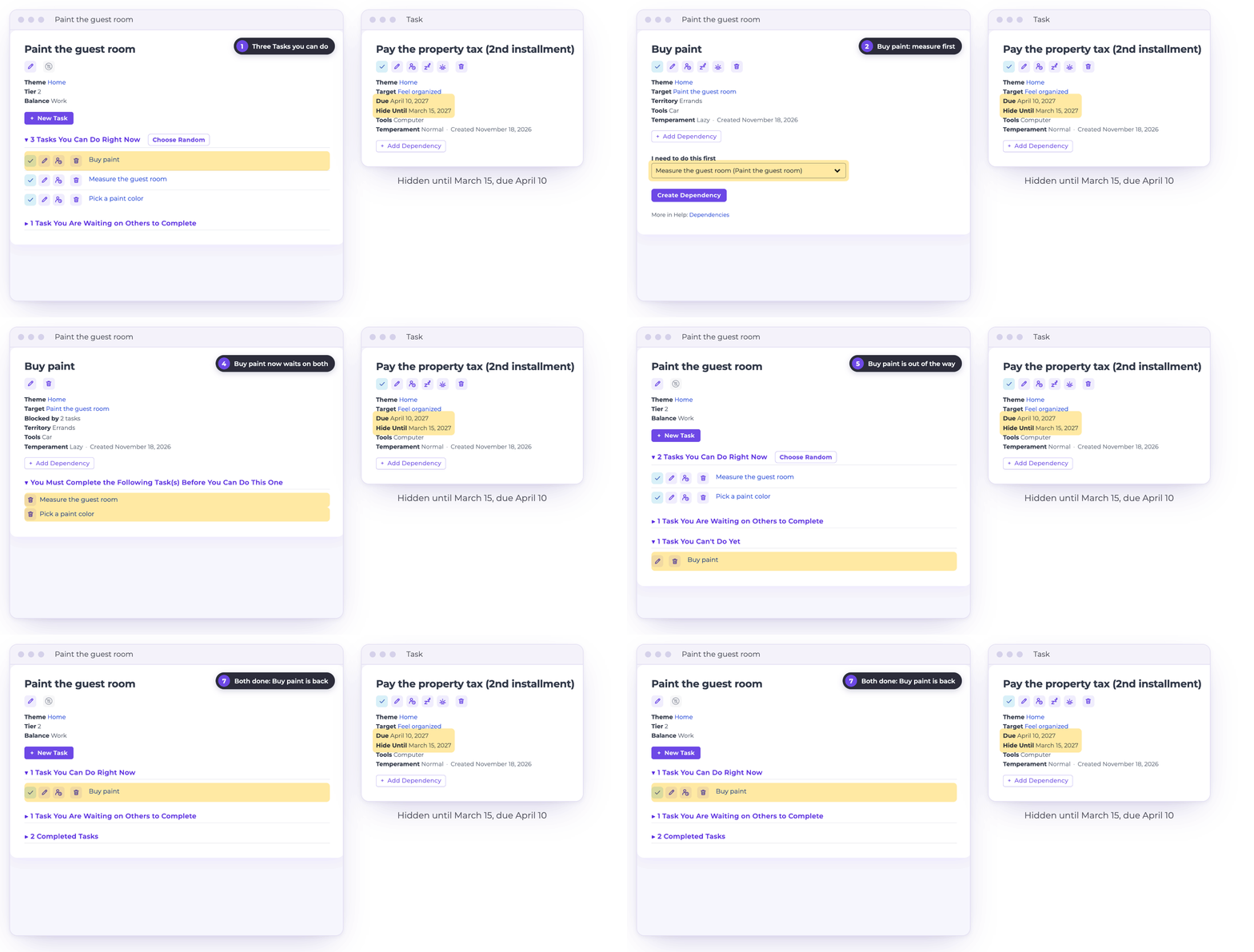
You can’t buy paint until you’ve measured the room and picked a color. With TaskTackler’s Dependencies, “Buy paint” stays out of sight until you’ve completed the tasks in front of it.
Same goes for dates: if your property tax is due in April, hide it until mid-March so you don’t have to think about it in February.
When it comes to Tasks you have to do today but can’t do right this minute (the laundry’s still in the washer or you’re waiting on a call back), park it in Later Today. The Task stays in sight without getting in your way.
-
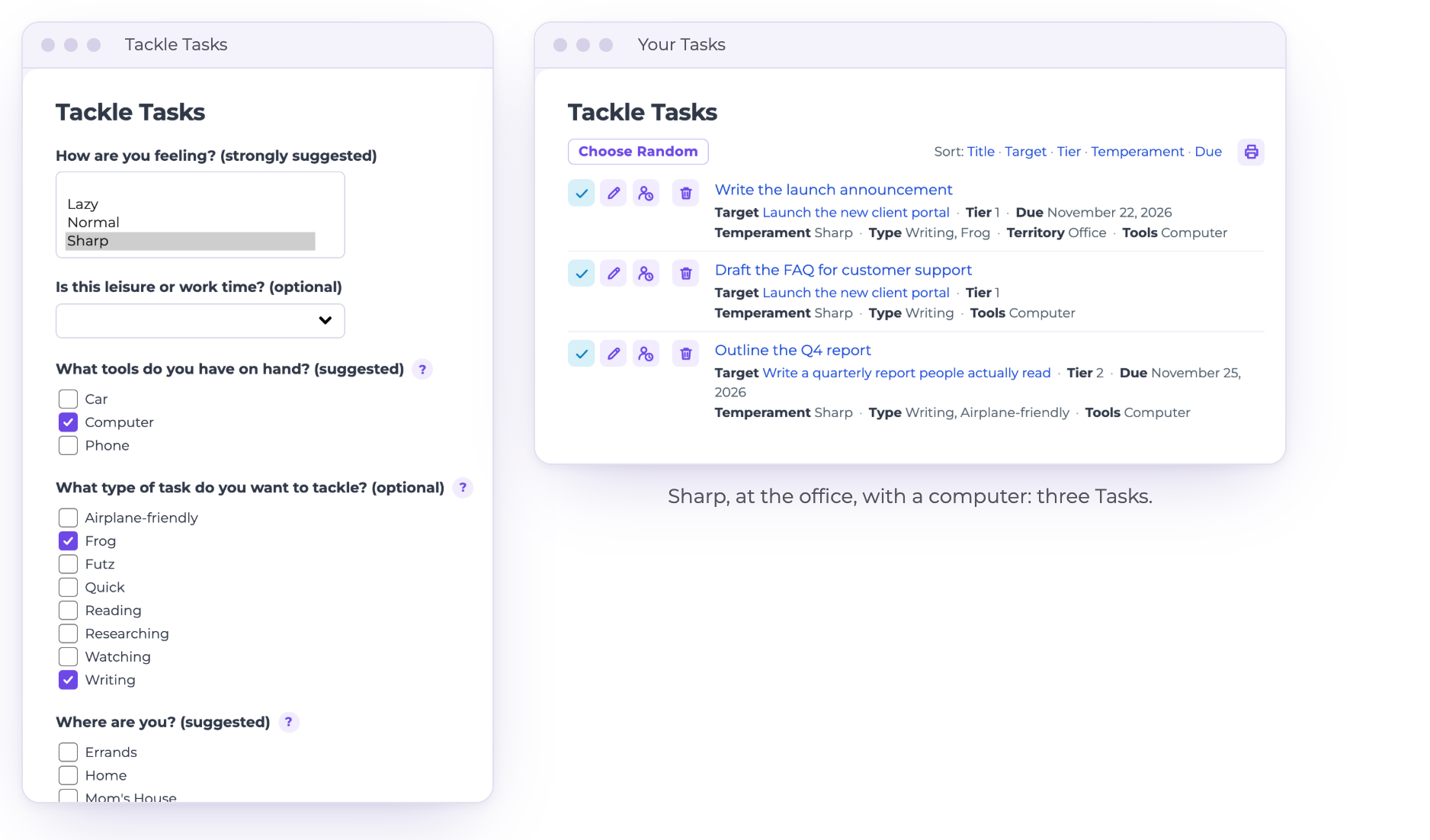
Say where you are and what you’ve got — then get to WORK!
Tackle Tasks asks four quick questions: where you are, what you have with you, what kind of work you’re feeling up for, and your current mood. Then it shows you Tasks that you’re best able to complete right now.
-
Your day, already laid out
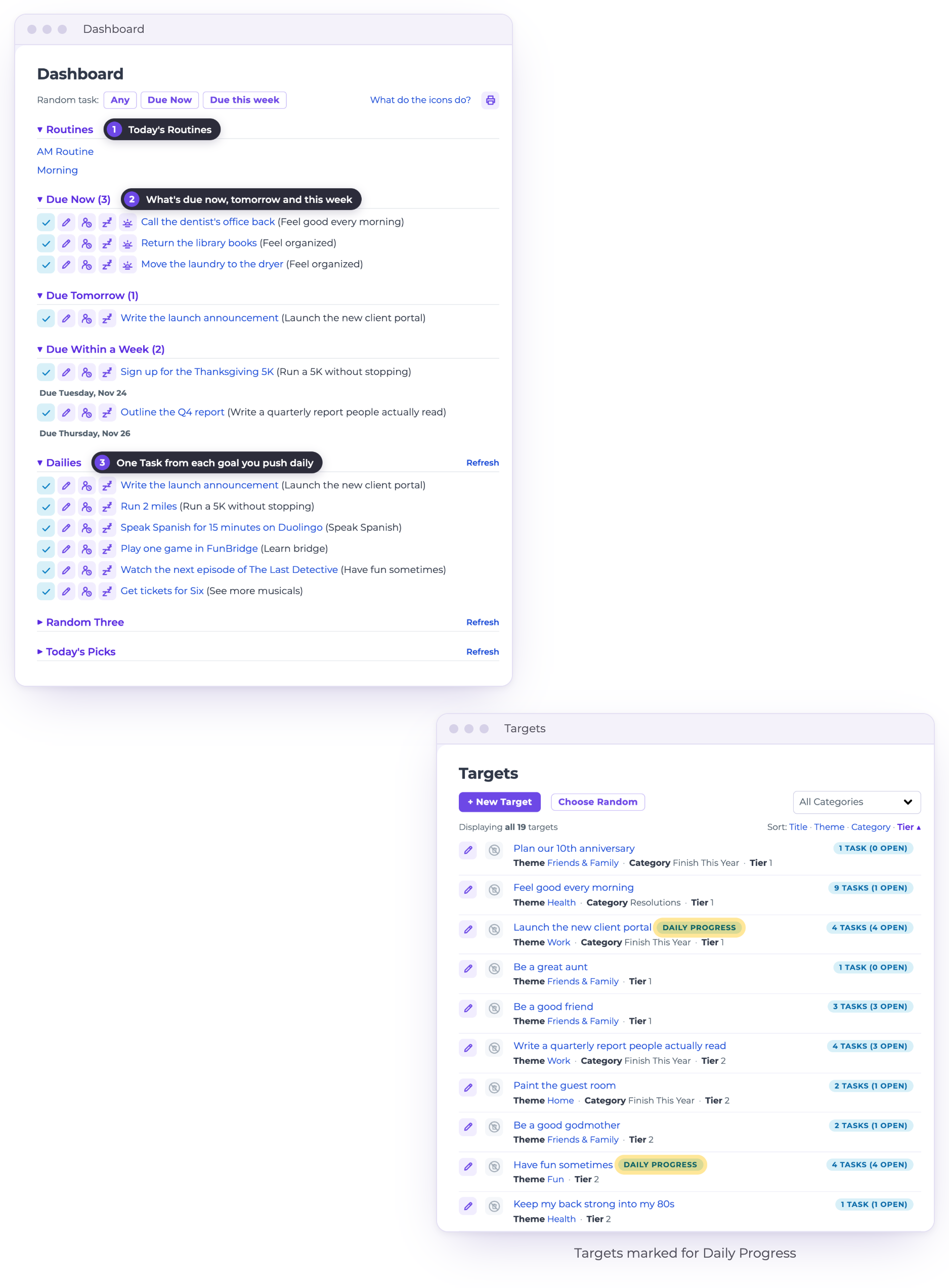
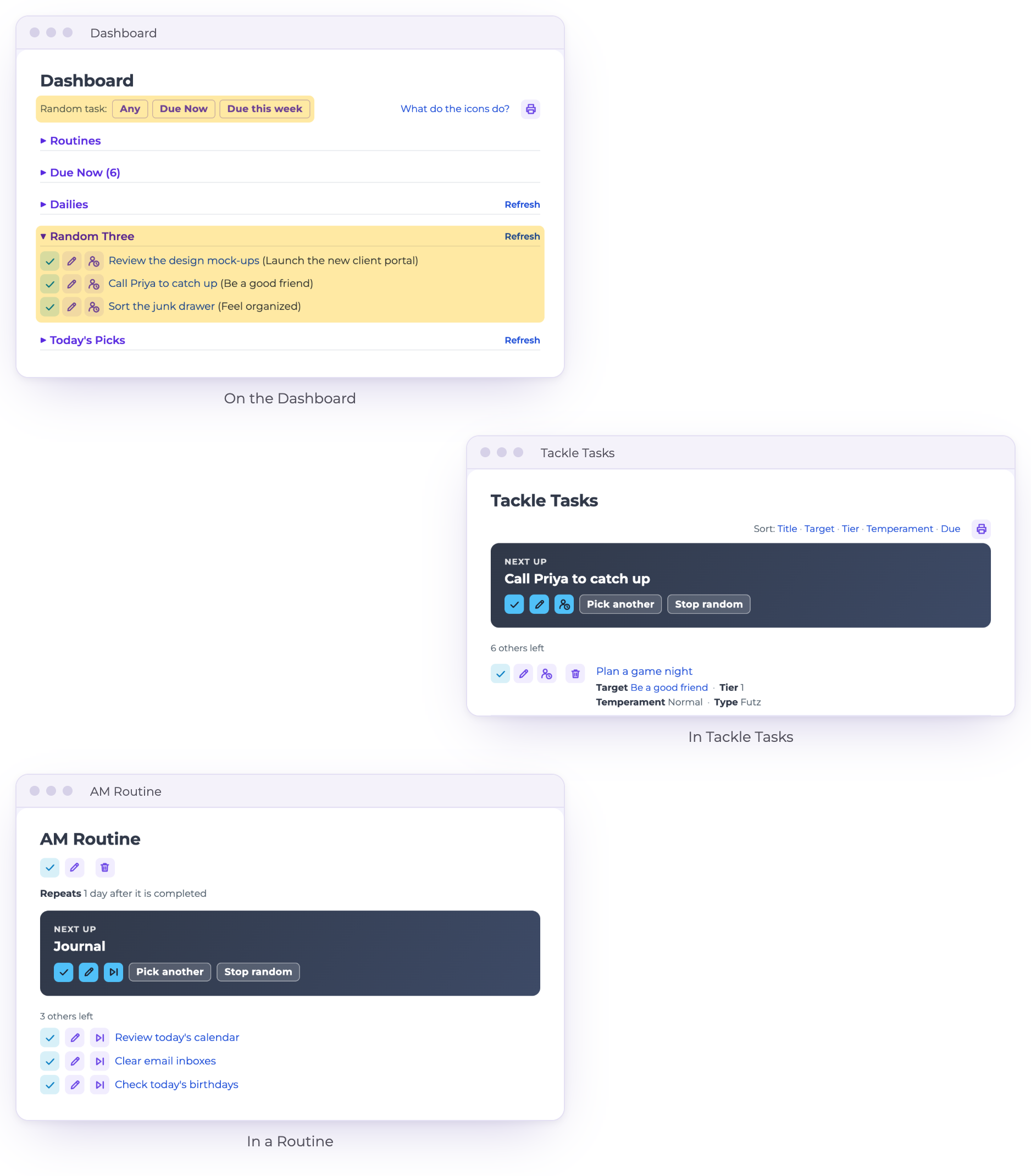
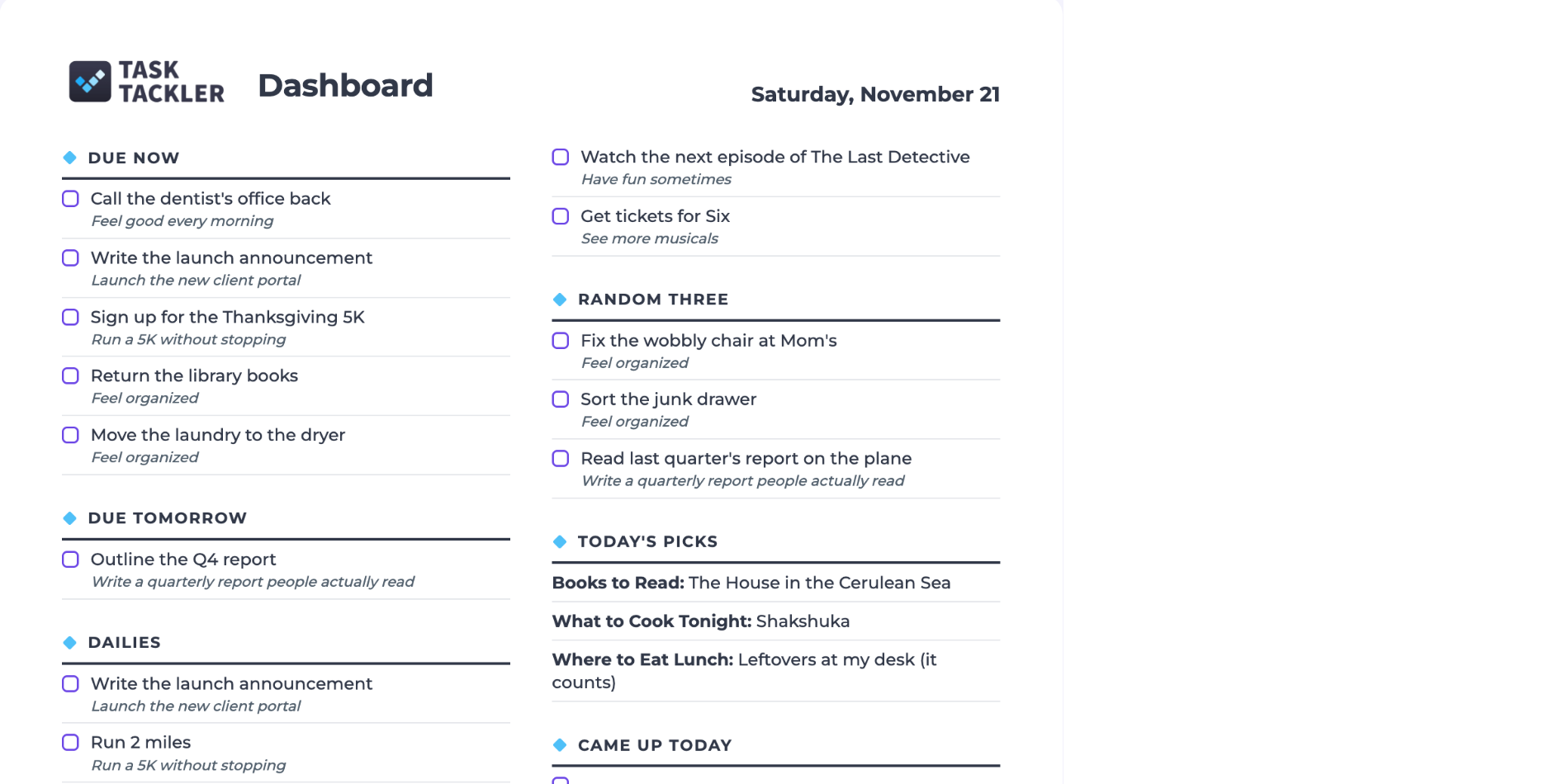
Open the Dashboard to start your day: your Routines, what’s due today, tomorrow and this week, and one Task from every Target you’ve set for Daily Progress.
No morning planning session required.
-
Can’t decide? Let TaskTackler choose!
You’ve got enough to do; let TaskTackler pick your next Task.
On the Dashboard, three buttons hand you one random Task: “Any,” “Due Now,” or “Due this week.” The Dashboard also shows a fresh Random Three tasks every day, encouraging progress in areas you might not have chosen otherwise.
In Tackle Tasks or a Routine, click “Choose Random” for a Next Up task. Finish (or skip) it, and you’ll get another right away.
Know what it’s all for
A Task with no reason attached is easy to skip.
-
Always remember your why
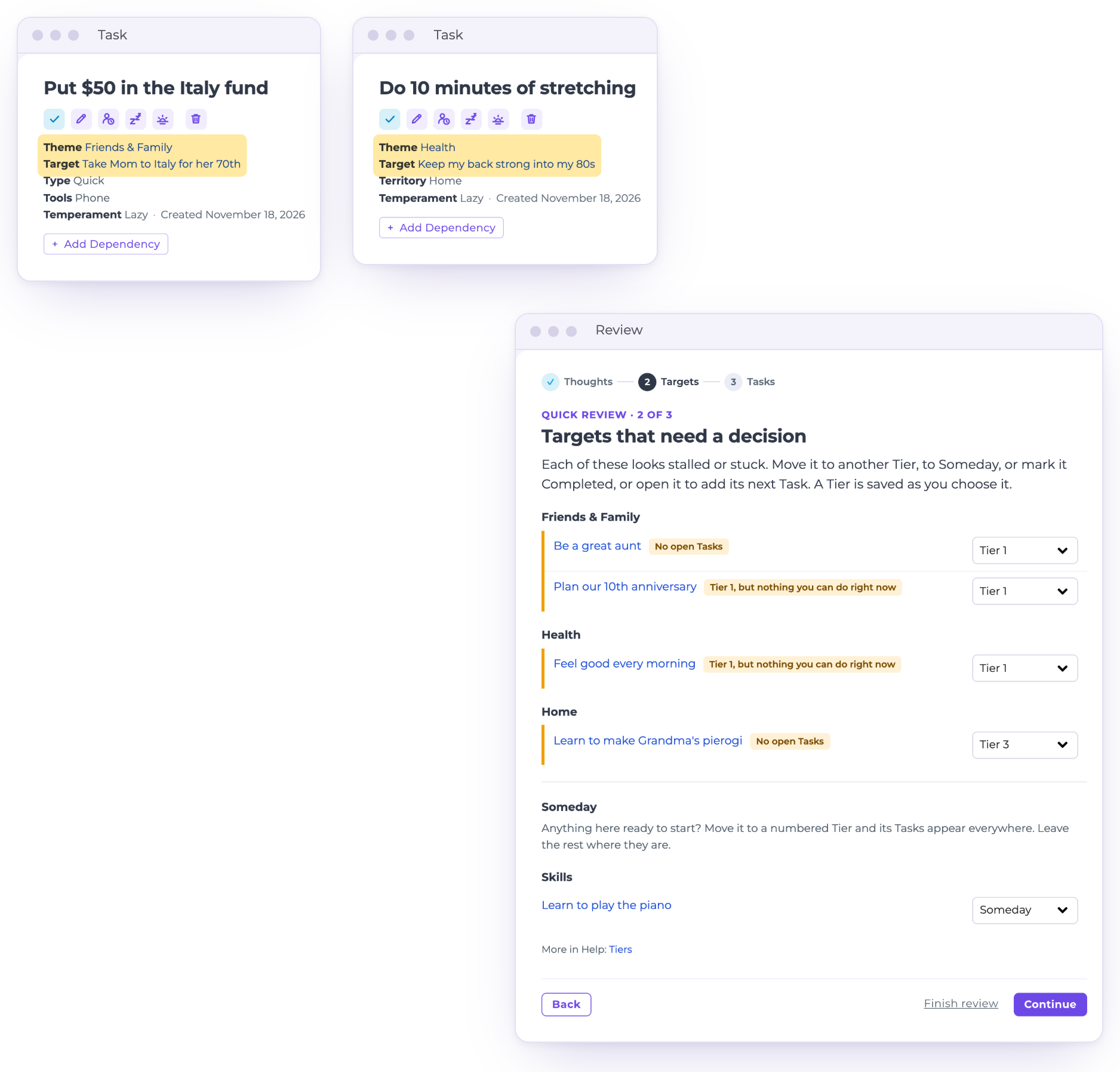
Every Task belongs to a Target, so you always know why you’re doing it. “Put $50 aside” is easy to skip. “Take Mom to Italy for her 70th” is not.
Rank each Target’s priority, from 1 to 4, and every Task under it inherit that priority. Did your priorities change? Change one number, and all of its Tasks adjust instantly.
-
Regular Review keeps you up to date
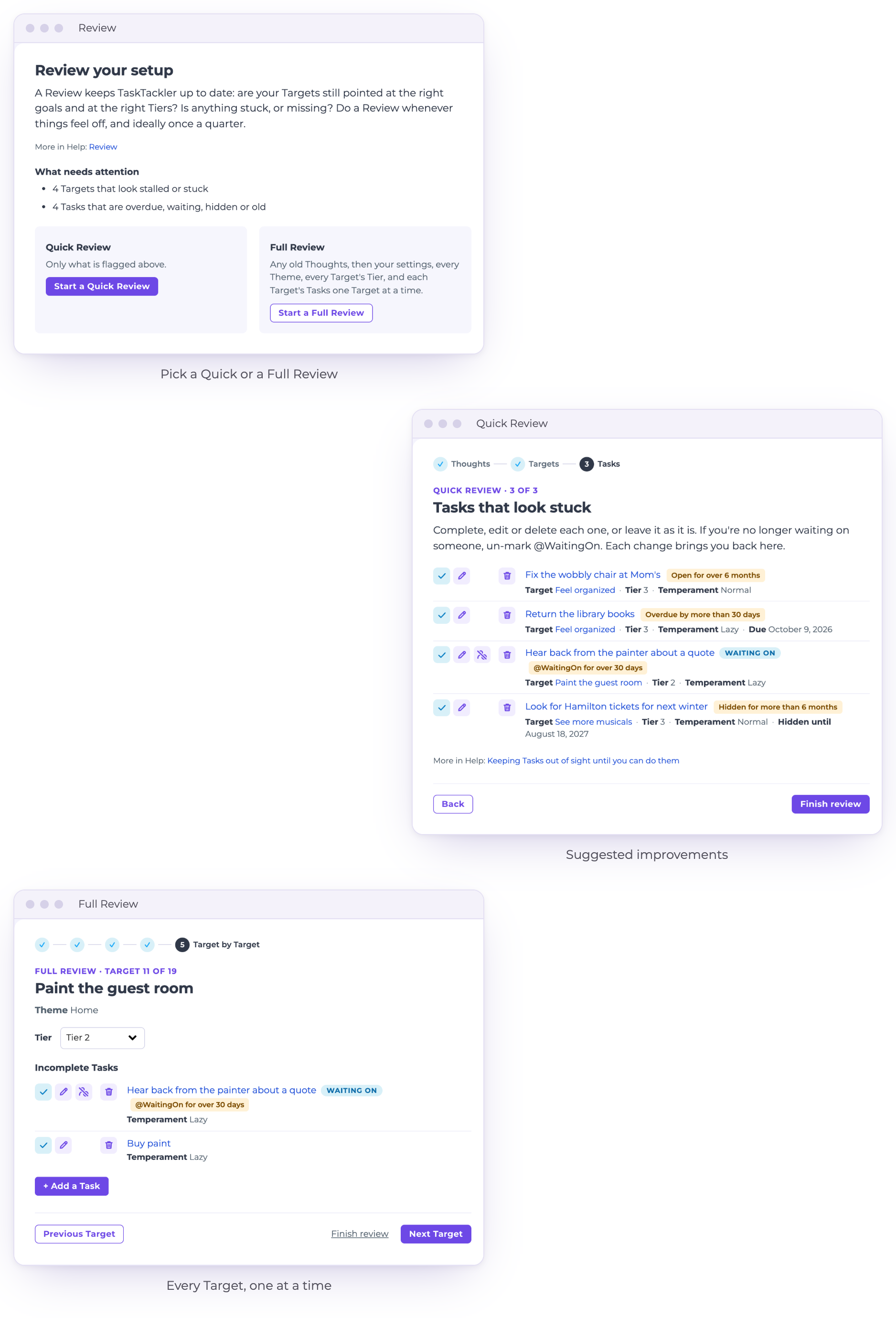
Lists get long. Targets go stale. TaskTackler’s Review walks you through your setup whenever you like, flagging when a high-priority Target has run out of steps, or a Task has sat for a little too long.
Use Quick Review for top suggestions, or settle in for a Full Review and go through everything.
When you need a win, scroll Tackled: everything you’ve finished.
Not ready yet? Subscribe to The To Do List, productivity advice for every part of life.
Recurring Tasks and Routines
Not everything is a one-time Task. Let TaskTackler repeat them on your schedule.
-
Optimized Routines
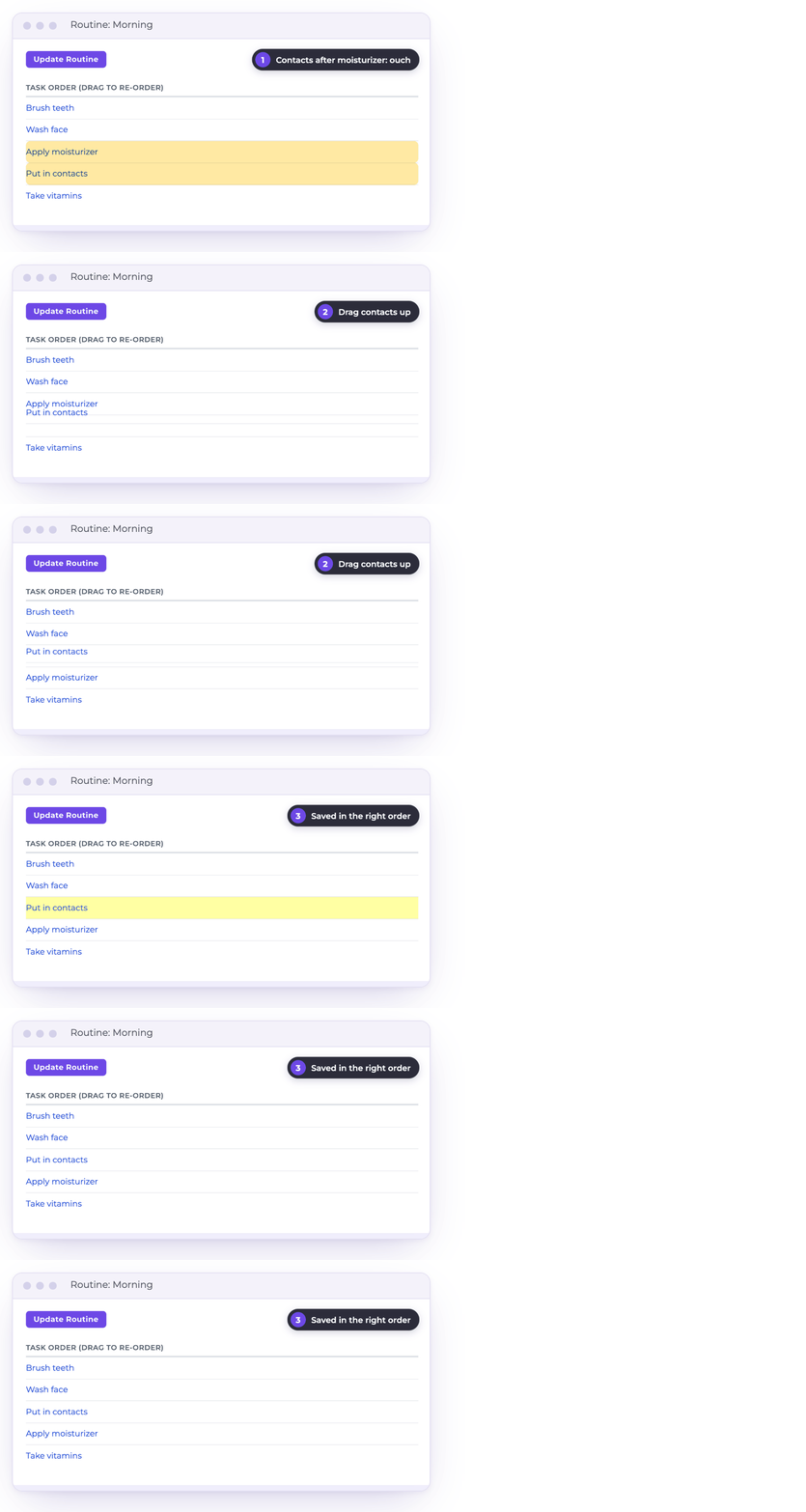
Drag a Routine’s steps into the right order once, and they come up that way every time. Make a routine faster or more efficient.
-
Repeat Tasks on your terms
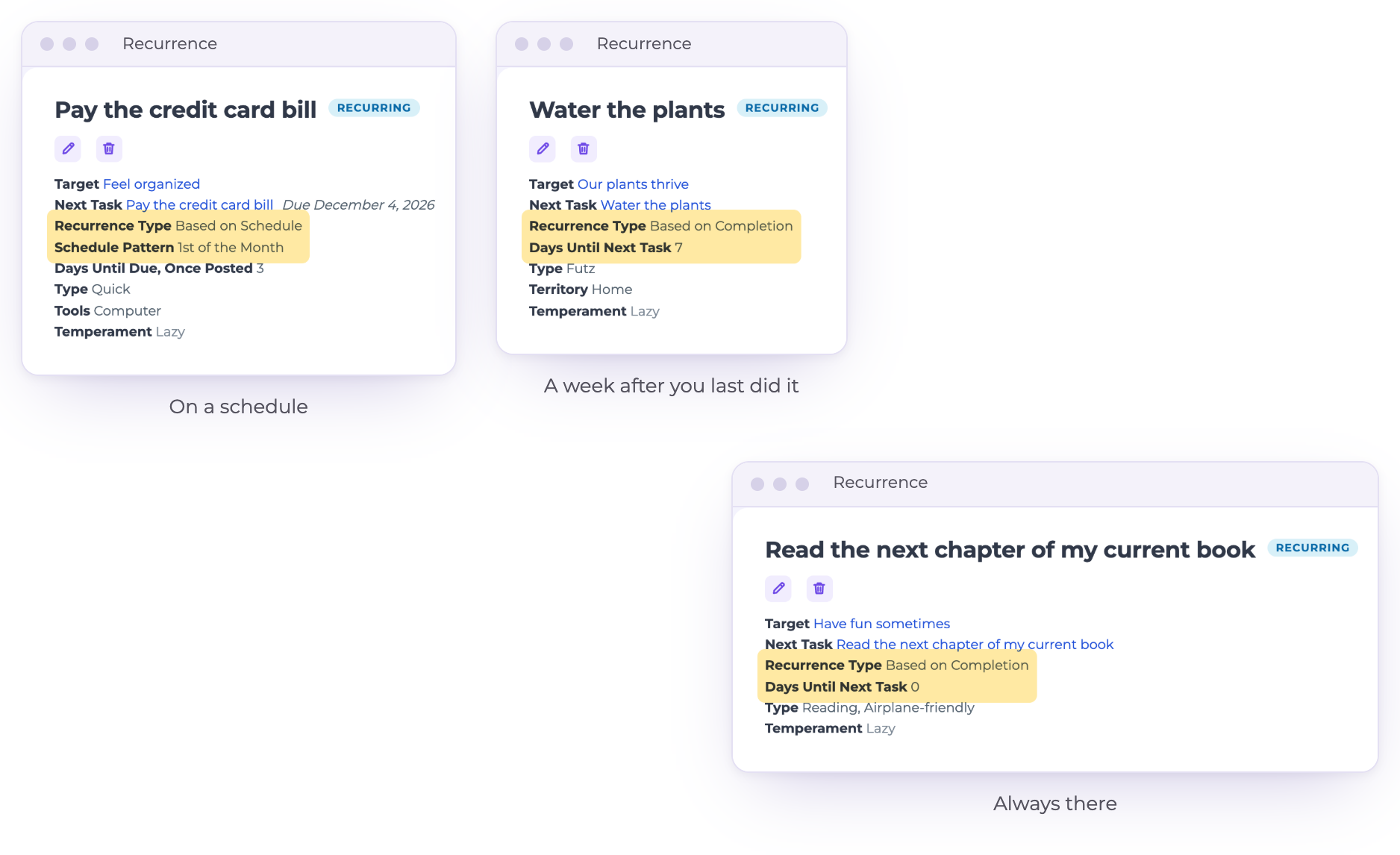
Some Tasks follow the calendar, like paying a bill on the 1st, or using a credit card benefit once per quarter. Some depend on circumstances: you probably want to water the plants a week after you last did (not a week after you were supposed to).
And some tasks are never really “done” even though you make progress. Set a Recurrence like “Read the next chapter of my current book” to 0 days, and it’s available again the moment you finish the last one — but you still get credit for finishing.
-
Let a List decide
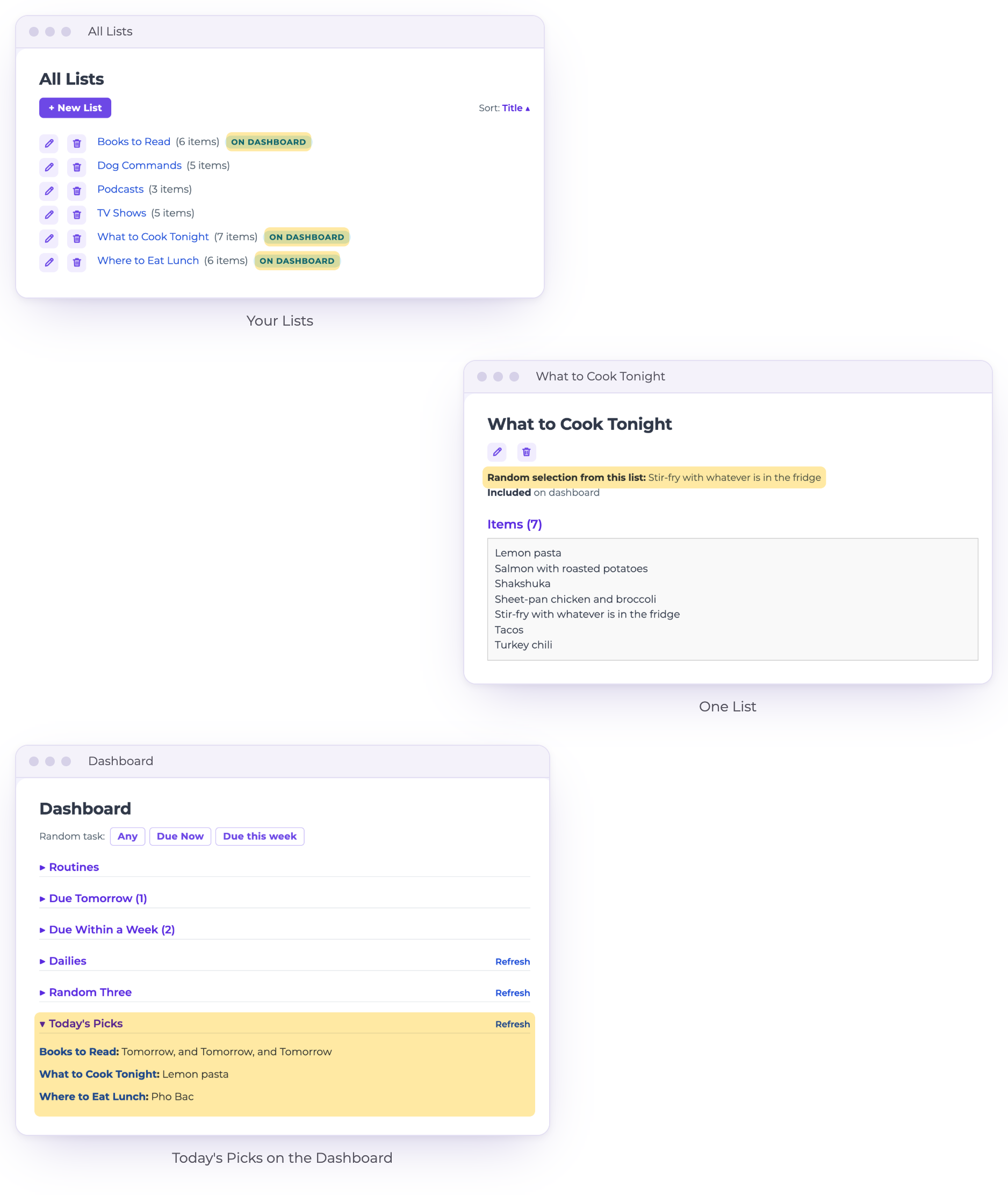
Keep lists of books to read, where to eat lunch, and what to cook tonight, so you can make fewer decisions (and not lose track)
The Dashboard picks one item from each List each morning.
Your whole life, not just work
Hobbies, friends & family, and dream projects all go in, too.
-
Plan the fun stuff, too
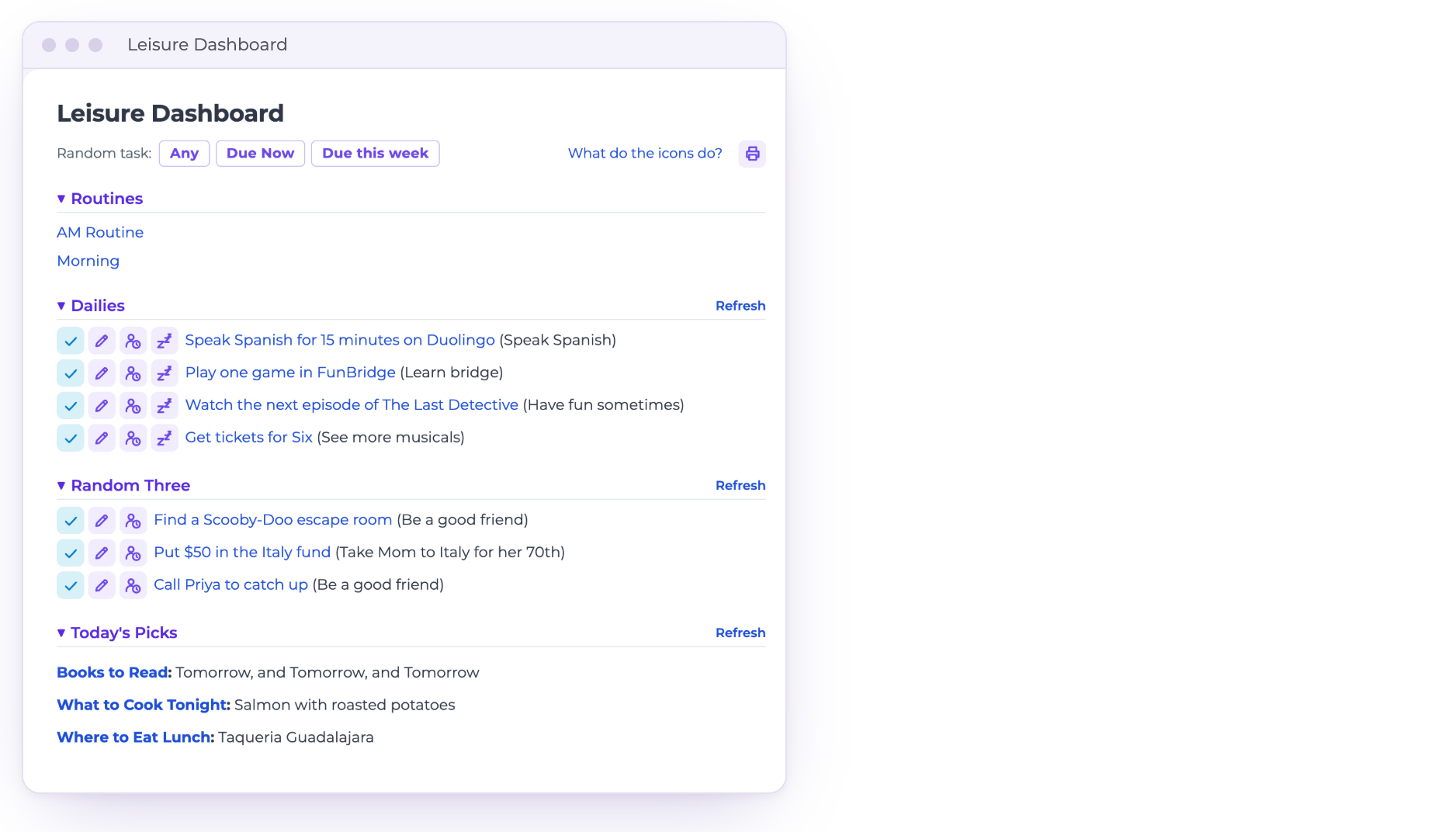
Your hobbies, favorite shows, and friends deserve better than whatever’s left of your evening. Mark a Target as Leisure, and after work the Leisure Dashboard shows only those.
-
Nurture your relationships
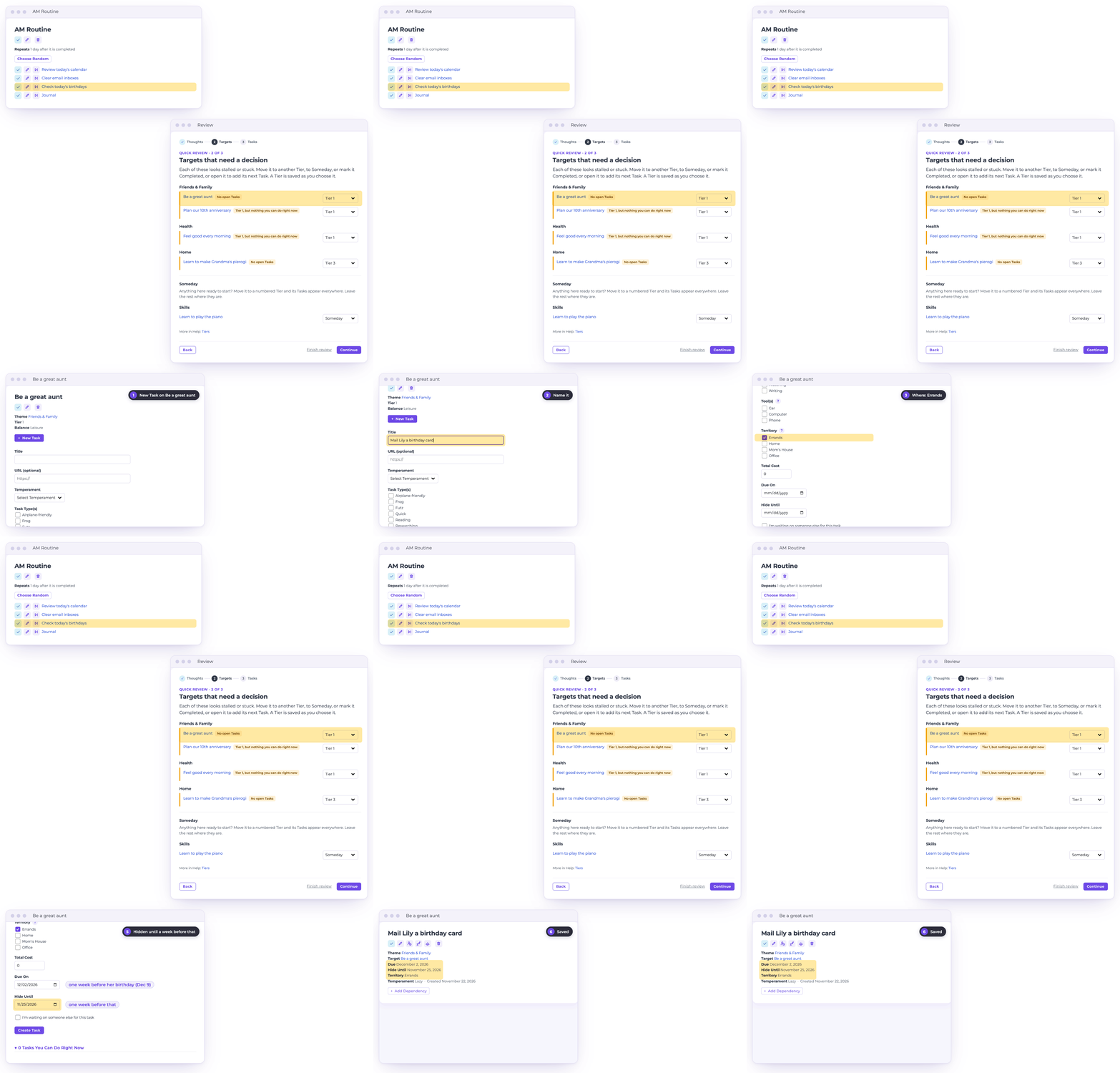
The people you love don’t hold you to deadlines, so they’re easy to let slide. Check birthdays every morning, set recurring annual tasks to mail grandma a birthday card well in advance of your mailing deadline, and set targets for planning birthday parties and spending quality time with loved ones.
-
A trusted inbox
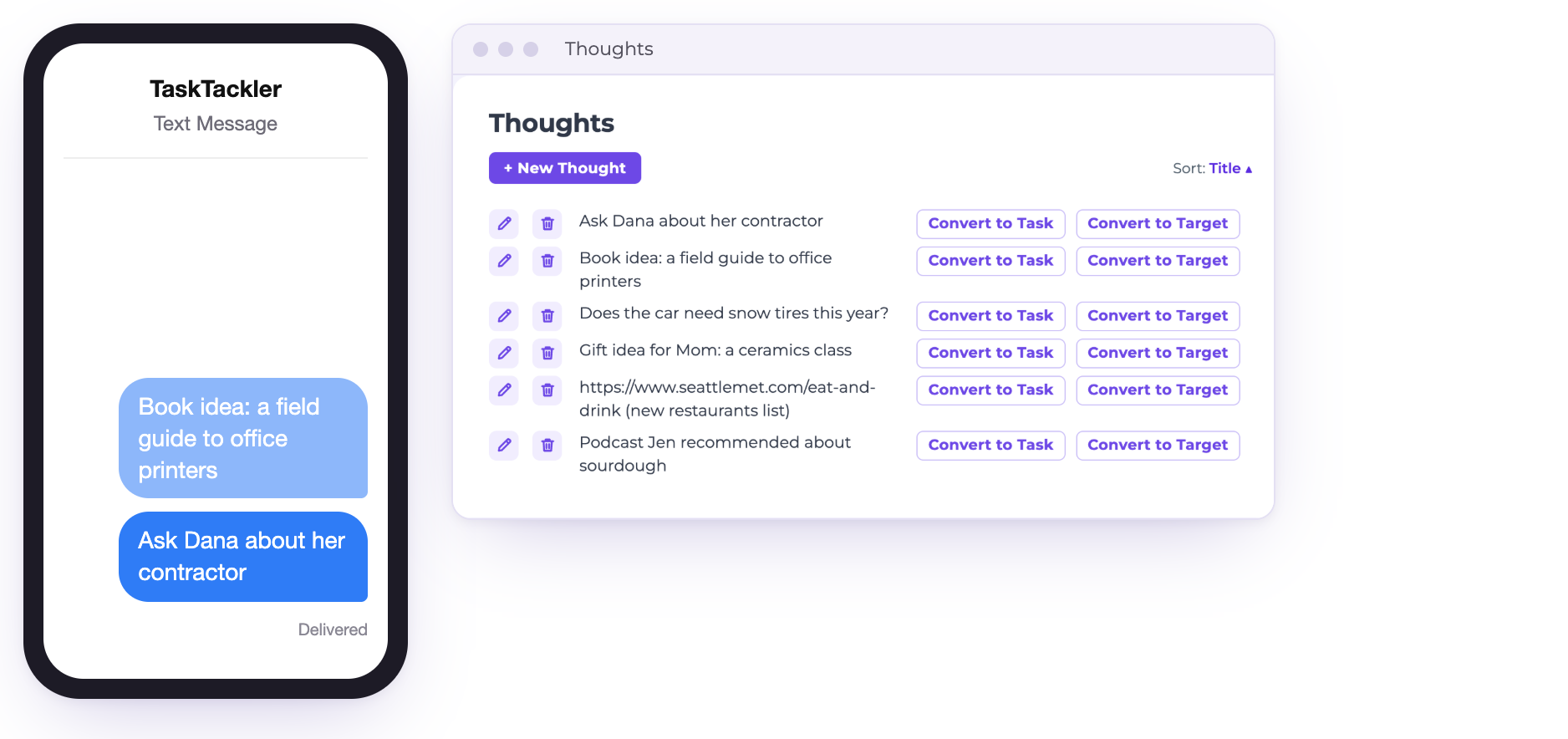
Ideas have terrible timing: in line at the pharmacy, halfway through a meeting, or at 2am.
Text them to TaskTackler and they wait in Thoughts until you’re ready to turn each one into a Task or Target (or, change your mind).
-
Sometimes we want paper
Print your Dashboard or your Tackle Tasks results. (That satisfying feeling of checking a box on a heavy piece of paper? Included.)
Have a receipt printer? Print your day as one long slip you can carry around.
-
Start with a Project Pack
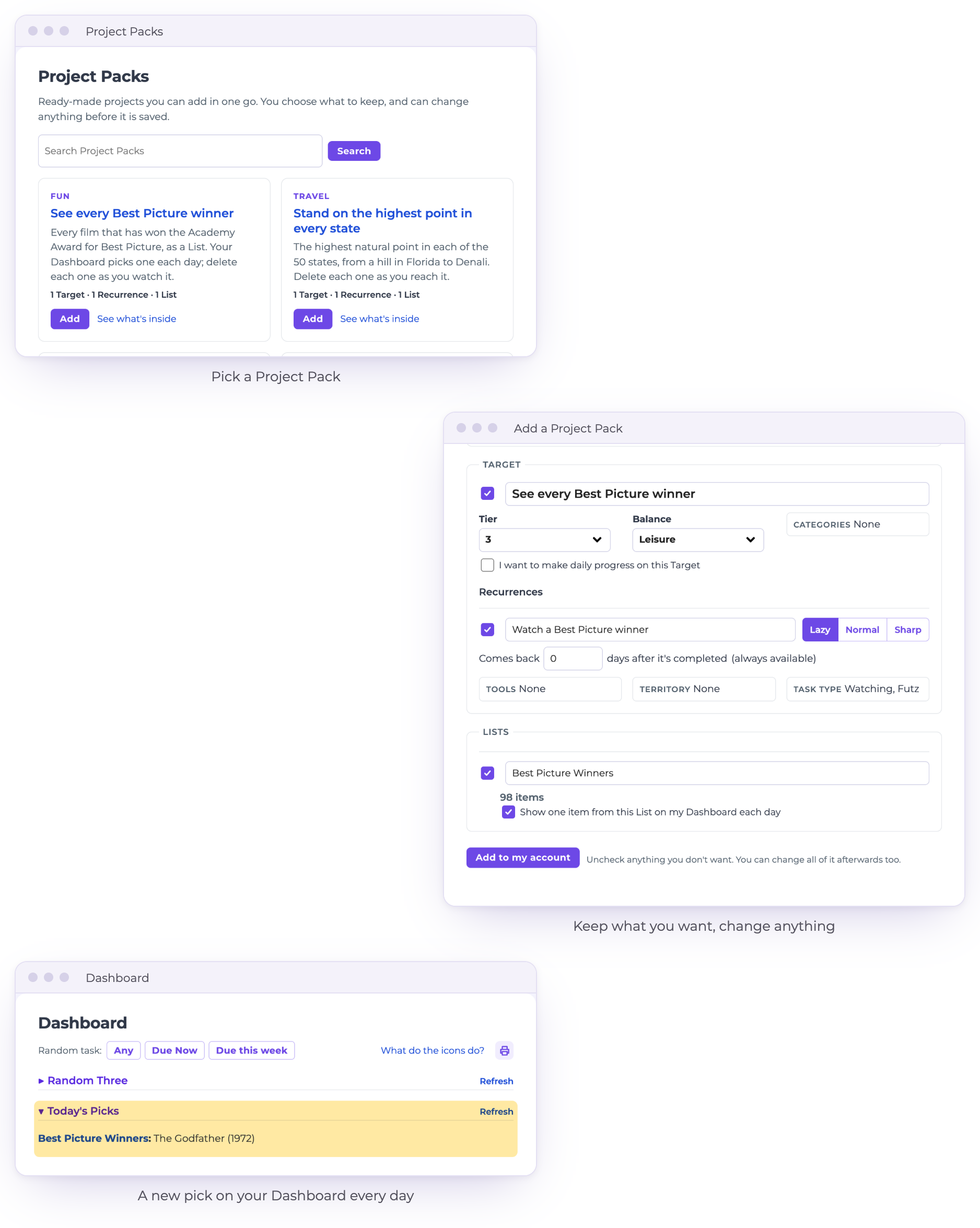
Don’t want to start from a blank page? Project Packs are ready-made projects you can add in one go, from other users. Want to watch every Best Picture winner, read all of Shakespeare’s plays, or visit all 64 national parks? Add that Project Pack and your Dashboard picks one for you each day.
TaskTackler Is Opinionated
A little planning upfront goes a long way. Considering mood, tools, and Task Type (e.g., reading, writing) for a few seconds at the start means you can fly through tasks later, with little procrastination or force.
Due dates are for things that are actually due. If you told Heidi she’d have your edits by Friday, that’s due Friday. Everything else can skip the pretend deadline. (You might be surprised how much more you get done.)
Priority belongs to the goal, not the Task. Decide once how much a Target matters. You never have to rank an individual Task again.
Leisure deserves a plan, too. A full life includes the book, the show and the hobby, on purpose, and not just whatever’s left of your evening.

One plan.
$20 a month, or $200 a year. The first 14 days are free, and I don’t ask for a credit card until you decide to stay. Cancel any time.
Key Features
The whole app, at a glance.
-

-

-

-

Dependencies
Tasks hide until blocking ones are completed, so you don’t have to relitigate whether you can do it yet.
-

-

-
Targets and Tiers
-
Target Categories
-
Due dates and Hide Until
-
Total Cost
-
Temperament, Territories, Tools, Task Types
-
Later Today
-
Leisure Mode
-
Works on your phone
In the browser, nothing to install.
-
Text it in

The To Do List
The To Do List is the TaskTackler blog: ideas for people who love lists, with a new post (at least) every week.
Our latest posts

Questions
What is TaskTackler?
A task app for people who love lists (and have a lot of them). Everything on your plate goes in: work, birthdays, the gutters, the show you’re halfway through. Then TaskTackler shows you only what you can do right now.
How is it different from other to-do list apps?
Most to-do apps, in my experience, are good at accepting a long list of goals and tasks, but not good at filtering them or lining them up for maximal productivity.
TaskTackler knows you can’t buy paint until you’ve measured the room, that the property tax isn’t your problem until March, and that you can’t mow the lawn from an airplane. It hides what you can’t do yet and shows you the rest, most important first. (It also knows not to spend your sharpest hours folding laundry.)
Do I have to use all these features?
No. TaskTackler needs three things from you to start: a Target, a Task and your Temperaments. Everything else is optional, and you can use the other features whenever you’re ready.
Is there a manual?
Yes. Every feature has its own Help page, with examples from how I use it myself.
How much does it cost?
$20 a month, or $200 a year. The first 14 days are free, and no credit card is required at signup.
Can I cancel?
Yes. Any time.
What happens to my data if I cancel?
You keep your account until the time you paid for runs out. Then it locks, and 30 days later everything in it is deleted for good. I email you a week before that happens, in case you change your mind.
Is there an iPhone or Android app?
No, there’s nothing to install. TaskTackler runs in the browser on your phone, tablet, and computer, so your lists are with you everywhere.
Can I import my tasks from another app?
Not with a button. (An AI assistant could probably do the copying for you.) Having to retype your list is also a fine excuse to drop the Tasks you were never going to do and start fresh. Or skip the typing and start from a ready-made Project Pack.
How long does it take to set up?
Under a minute to get going. (Faster still: add a Project Pack and a whole project is in your account in a click.) Loading in your whole life takes longer, and that’s where it pays off: the more TaskTackler knows, the more it can do for you. Getting set up walks you through it.
Who makes TaskTackler?
I do. I’m Marina Nitze. I built TaskTackler in 2013 to run my own life, and I still use it every day. Read more about me, or see more than a decade of release notes.
Built by someone who runs her whole life on TaskTackler
I’m Marina Nitze. I built TaskTackler in 2013 and have used it every day since. In that time I’ve been Chief Technology Officer of the U.S. Department of Veterans Affairs, written three books, and am a partner in a crisis engineering firm. Steve Levitt asked me how I stay organized on his Freakonomics podcast, People I (Mostly) Admire. (“TaskTackler” is the answer.)
Curious how I actually use it? My own Themes, Task Types and Territories are in the Help pages.


Start tackling your Tasks today
Your lists are waiting. The first 14 days are free, no credit card needed.